SYMPTOM:
When creating a consolidation based off an attribute (ex. Region) it is expected that metrics with dimensionality related to that attribute will be reflected in reports with the consolidation. Instead of adjusting to the dimensionality (assuming a metric with Region set to Ignore/None in Filtering and Grouping) the report's consolidation elements will not return correct information.
This can be reproduced in Strategy Tutorial by following the steps below.
First, create a consolidation that has a few elements but specifically at least one element with more than 2 attribute elements in its consolidation.
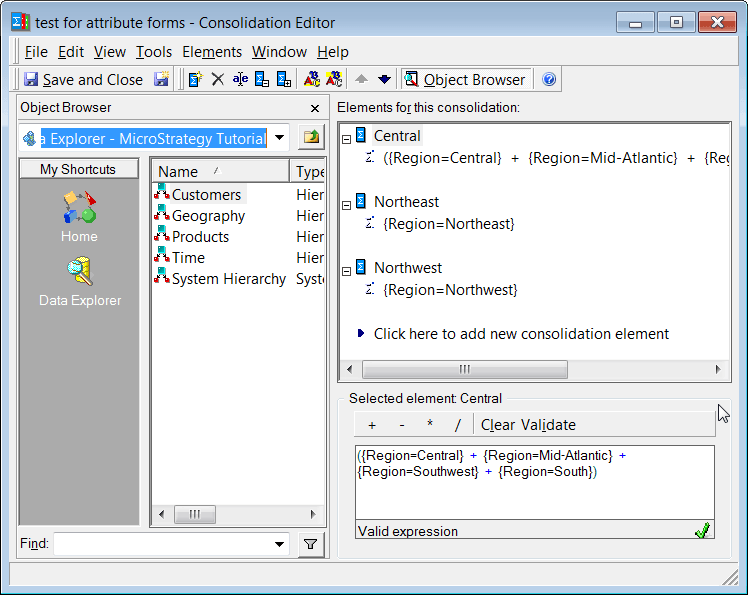
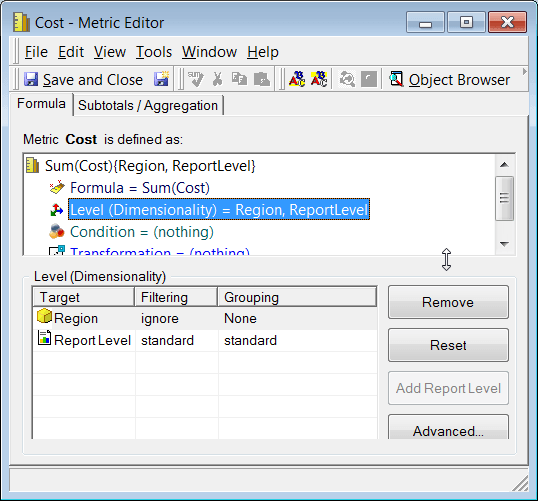
Second, create a metric that has the base attribute used in the consolidation as a part of the dimensionality. See below for the duplicate Cost metric created with Region as a Level set to Ignore/None.
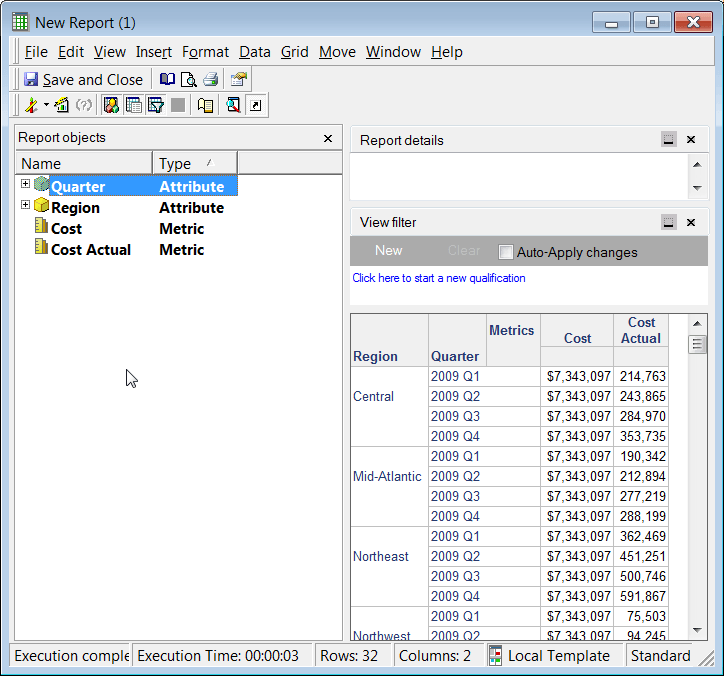
Next create a report which has both the adjusted duplicate level metric and the regular metric set to Report Level dimensionality. The created report for testing had a report filter of 2009 and Quarter on the report objects template to make calculation and break down easier. Note the correct metric calculation vs. incorrect metric calculation.
Correct Value of the metric set to Ignore/None: $7,343,097. This value should be displayed for a consolidation as well if Region is the only attribute in the consolidation.
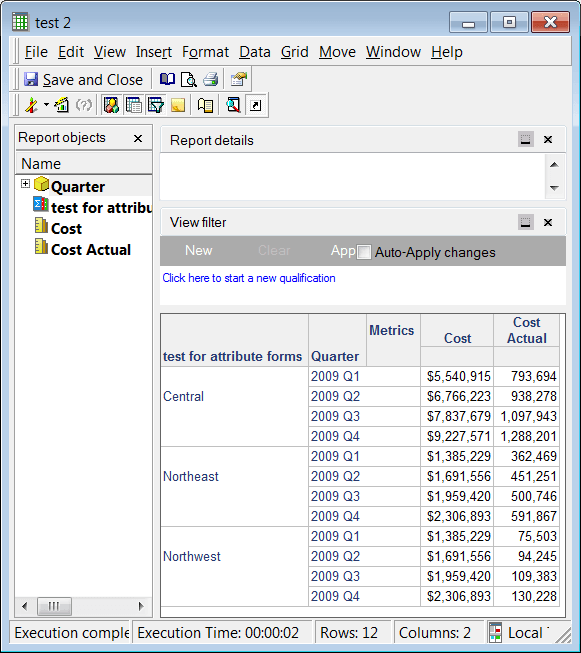
Incorrect Metric calculation: Here the consolidation returns inconsistent values and the dimensionality is not being applied properly.
CAUSE:
This issue occurs by the design of consolidation objects in Strategy. A consolidation with multiple elements in it is not treated the same as an attribute object. Thus when a metric has a dimensionality of an attribute it will apply but not to a consolidation.
ACTION:
The resolution to this issue is to remove the Report Level dimensionality in the metric definition. Then the values will calculate correctly. There is however a second issue present that will cause the metric value to be multiplied by the number of attribute elements in that consolidation element. For example if there are three attribute elements it will display a metric value triple the correct value. This is addressed further in TN 13028
KB43166
