EducationSoftwareStrategy.com
StrategyCommunity

Knowledge Base

Product

Community

Knowledge Base

TopicsBrowse ArticlesDeveloper Zone

Product

Download SoftwareProduct DocumentationSecurity Hub

Education

Tutorial VideosSolution GalleryEducation courses

Community

GuidelinesGrandmastersEvents
x_social-icon_white.svglinkedin_social-icon_white.svg
Strategy logoCommunity

© Strategy Inc. All Rights Reserved.

LegalTerms of UsePrivacy Policy
  1. Home
  2. Topics

KB43207: Is it Possible to Use Attribute Element Prompts in an Object Prompt in MicroStrategy 9.4.x-10.x?


Stefan Zepeda

Salesforce Solutions Architect • Strategy


This article helps users who would like to create an object prompt where they can select from different attribute element prompts to use on a report

SYMPTOM:
The user would like to create an object prompt where they can select from different attribute element prompts to use on a report.
 
STEPS TO REPRODUCE:
1. Create an attribute element prompt on the Month attribute
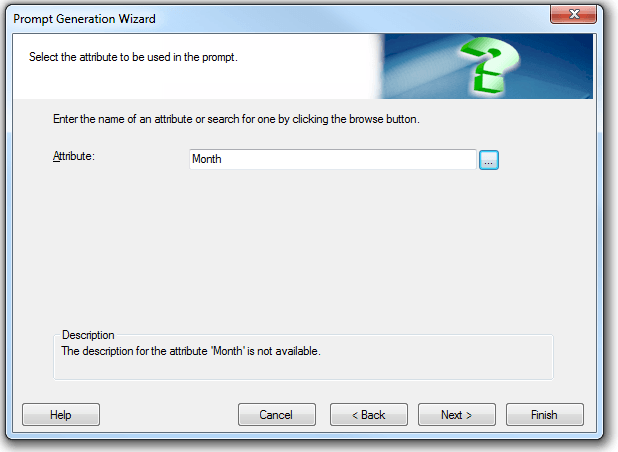
ka02R000000kcUkQAI_0EM440000002CrP.png

 
2. Create an attribute element prompt on the Catalog attribute
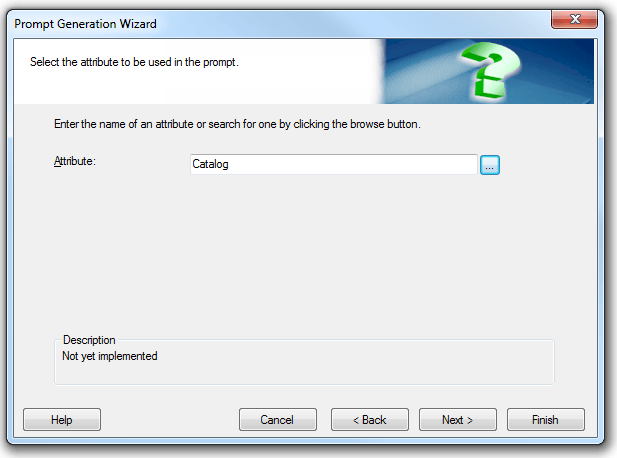
 

ka02R000000kcUkQAI_0EM440000002CrV.png

 
3. Create an object prompt and add these attribute element prompts to the predefined list of elements
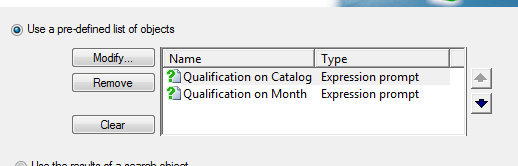
 

ka02R000000kcUkQAI_0EM440000002CrG.png

 
4. Create a new report. This object prompt will not be able to be added to the local filter
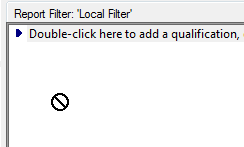
 

ka02R000000kcUkQAI_0EM440000002CrE.png

CAUSE:
This is by design.
ACTION:
Instead of adding the attribute element prompts directly to the object prompt, create filters that prompt on these attributes and add the filters to the object prompt. Follow the steps below:
1. Create a new filter that prompts on the Month attribute
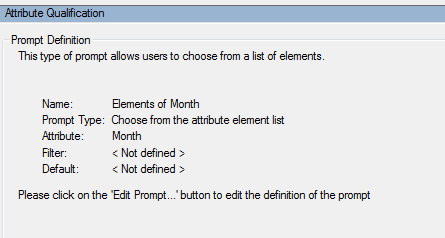
 

ka02R000000kcUkQAI_0EM440000002CrR.png

 
2. Create a new filter that prompts on the Catalog attribute
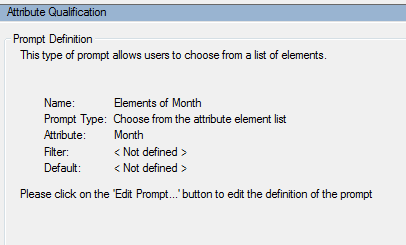
ka02R000000kcUkQAI_0EM440000002CrT.png

 
3. Create an object prompt and add these filters to the predefined list of elements.
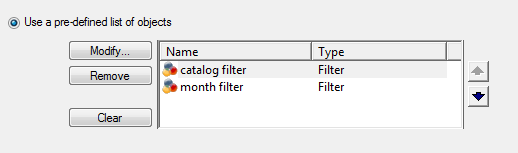
ka02R000000kcUkQAI_0EM440000002CrJ.png

 
4. Create a new report. The object prompt can be added to the filter and the report can execute successfully.
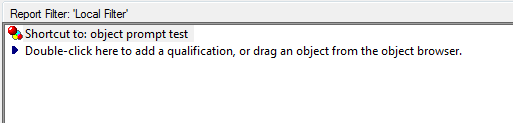
ka02R000000kcUkQAI_0EM440000002CrM.png

Comment

0 comments

Details

Knowledge Article

Published:

April 17, 2017

Last Updated:

April 17, 2017