SYMPTOM:
A user creates a report and adds aliases to attributes and metrics. When the user adds this report as a dataset to a document with formatting or as a shortcut, the aliases of the attributes and metrics do not display in design mode of the document. When the document is executed, the aliases display correctly.
STEPS TO REPRODUCE:
1. Create a new report with the Year attribute and the Profit metric in Strategy Desktop 9.3.0

2. Add aliases to the Year attribute and the Profit metric

3. Save the report
4. Create a new document using this report as a dataset
5. Add this dataset to the document with formatting or as a shortcut
6. In design mode, the aliases do not display
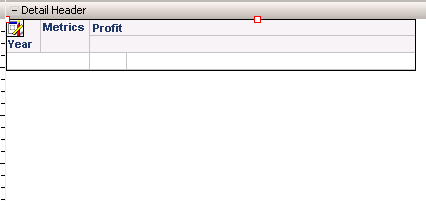
7. Run the document in PDF, HTML, or Flash mode. The aliases display correctly.

CAUSE:
This is a known issue with Strategy 10.x
ACTION:
This issue was reviewed by our Technology team for feasibility and will not be scoped for a code fix in any upcoming Strategy release.
