SYMPTOM
Consider that a warehouse table in Strategy 9.4.1 contains data which shows dates as shown:

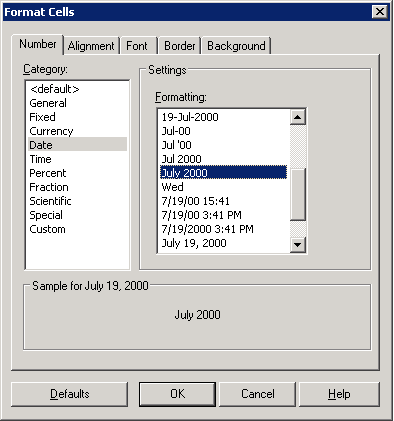
Consider that an attribute and two metrics are created mapped to the above three columns in this table from Strategy Developer. Furthermore, the metric value formatting is setup such that only the month and year are present in the report:
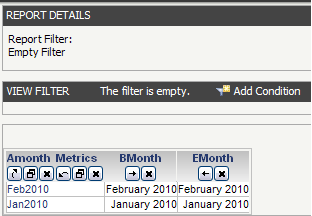
As expected, the report output does not show any dates for the metric values:
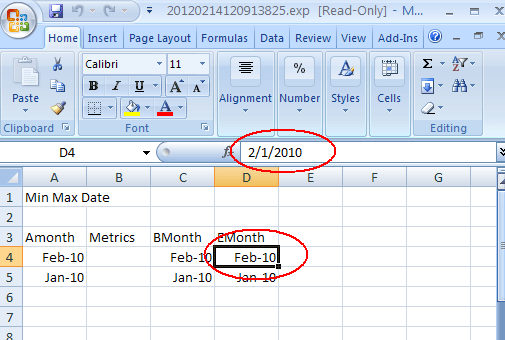
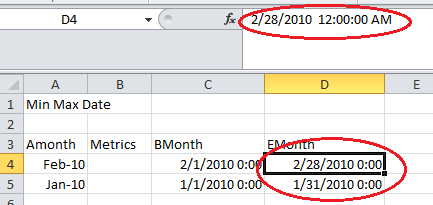
When this report is exported to Excel with plain text from Strategy Web, the data preview in Microsoft Excel shows the wrong date, as shown:
CAUSE
The export to Excel only considers the data from the report view. Since the view does not have any date in it because of the metric value formatting, Microsoft Excel shows the default date which is the 1st of the month.
ACTION
Change the metric value formatting to show the date. As an example, it can be set to the following:
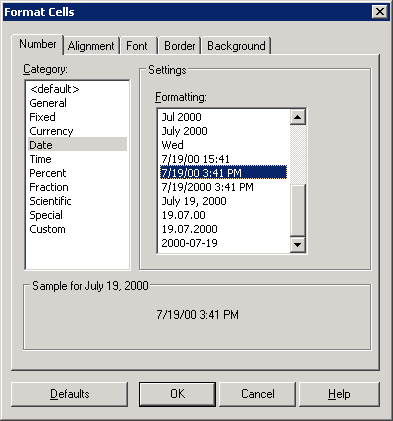
The corresponding Excel export now shows the correct date value, as shown below:
Article Reference Number:
KB4328
