The Create caches per database login option enables the creation of cache for each database login.This option is useful when the Database Security View and Connection Mapping settings are used to ensure that users with different security profiles cannot access the same cache.
Follow the steps below in order to enable the creation of cache per database login by enabling the Create caches per database login option:
1) Launch the Project Configuration Editor of the desired project source
2) Expand the menu Caching
3) Click on the submenu Creation
4) On the left side, under the Cache Creation options, check the Create caches per database login option, then OK:
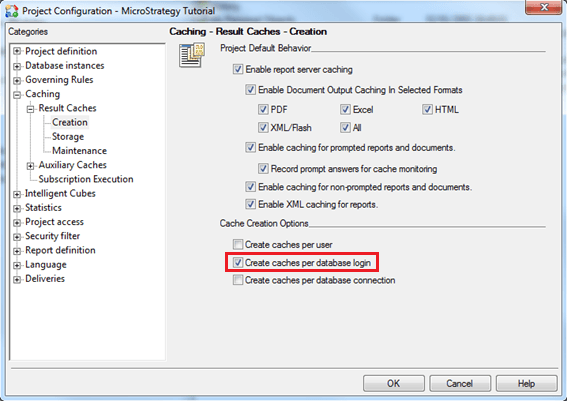
It is not necessary to restart the Strategy Intelligence Server when enabling the creation of cache per database login option.
NOTE:
For further information regarding this subject, refer to the following technical note:
• KB5824 (KB5300-7X0-0147): How are report caches matched in Strategy Intelligence Server 9.x and later?
