SYMPTOM:
After upgrading a 9.2.1 metadata to 9.3.0, the Update Schema operation is taking much longer than it did to complete in the 9.2.1 metadata.
CAUSE:
Small performance decreases in operations such as Update Schema should be expected after upgrading to higher versions of Strategy. This is due in part to increases in overall functionality including added features and increase of metadata structure size.
However, if the increase is significant, it could be impacted by certain caching settings being set too low.
ACTION:
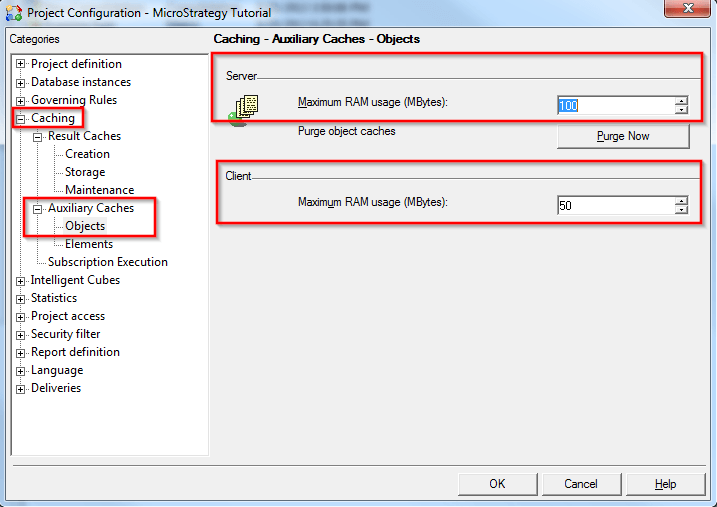
One group of settings that has been shown to affect Update Schema times after upgrading to 9.3.0 is the Auxiliary Cache which can be found in Project Configuration > Caching > Auxiliary Caches > Objects as seen in the screenshot below. Increasing the Maximum RAM usage (MBytes) settings on the Server and Client side to high values - can increase the defaults by several orders of magnitude for testing and then adjust accordingly - has been shown to greatly decrease Update Schema time in certain cases. Note that the Intelligence Server must be restarted after modifying the size of the server auxiliary cache.