Users may wish to set the ACLs for MDX dimensions within Strategy Desktop 9.x. This article outlines the steps to accomplish this as it may not be intuitive.
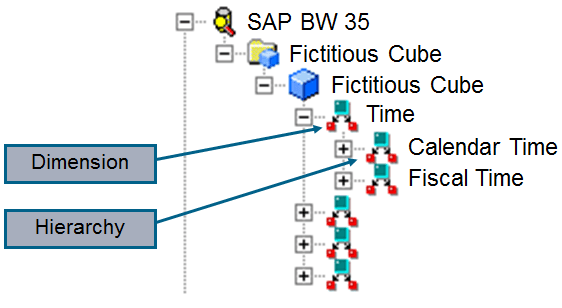
Below is an example of what an MDX dimension object is within Strategy.
Dimension: General category of data
Hierarchy: A particular way of grouping that data
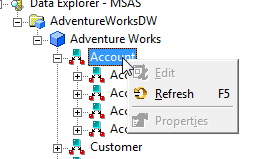
When right clicking the object in the Data Explorer users notice the Properties are grayed out.
1) Right click the cube and select Edit.
2) To the right of the dimension object (on the Logical view side) right click in the blank space and select Properties
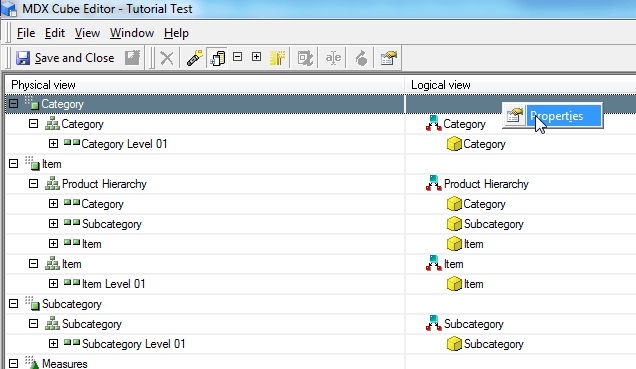
3) Within the Properties, the ACLs can be set on the Security window.
4) Save and Close the cube
