EducationSoftwareStrategy.com
StrategyCommunity

Knowledge Base

Product

Community

Knowledge Base

TopicsBrowse ArticlesDeveloper Zone

Product

Download SoftwareProduct DocumentationSecurity Hub

Education

Tutorial VideosSolution GalleryEducation courses

Community

GuidelinesGrandmastersEvents
x_social-icon_white.svglinkedin_social-icon_white.svg
Strategy logoCommunity

© Strategy Inc. All Rights Reserved.

LegalTerms of UsePrivacy Policy
  1. Home
  2. Topics

KB43390: When two sets of selectors based off of two separate datasets target a panel stack that contain two text boxes, making a selection in both sets of selectors will make the text boxes disappear in MicroStrategy Web 9.3.0.


Community Admin

• Strategy


This Knowledge Base article describes an identified defect in MicroStrategy Web 9.3.0 that occurs when two sets of selectors based off of two separate datasets target a panel stack that contain two text boxes, making a selection in both sets of selectors will make the text boxes disappear

SYMPTOM:
 
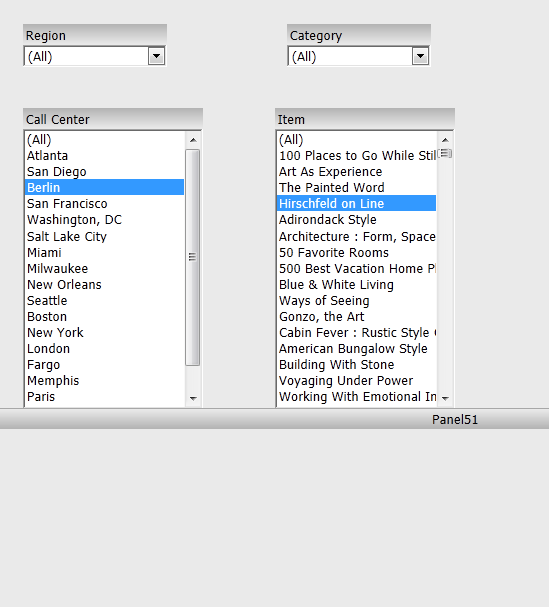
When two sets of selectors created from two separate datasets target a panel stack that contain two text boxes, making a selection in both sets of selectors will make the text boxes in the panel stack disappear. If a selection is made from only one set of selectors, the text boxes return the values just fine, in Strategy Web 9.3.0.
 
STEPS TO REPRODUCE:
  • Create report 1 with Region and Call Center.
  • Create report 2 with Category and Item.
  • Add both reports to a document.
  • From the first dataset, add element selectors for both of the attributes and have the Region selector target the Call Center selector.
  • Repeat step 4 for the second dataset, and have the Category selector target the Item selector.
  • Create a panel stack and include the Call Center and Item attributes as text boxes.
  • Have the Call Center and Item selectors target the newly created panel stack.
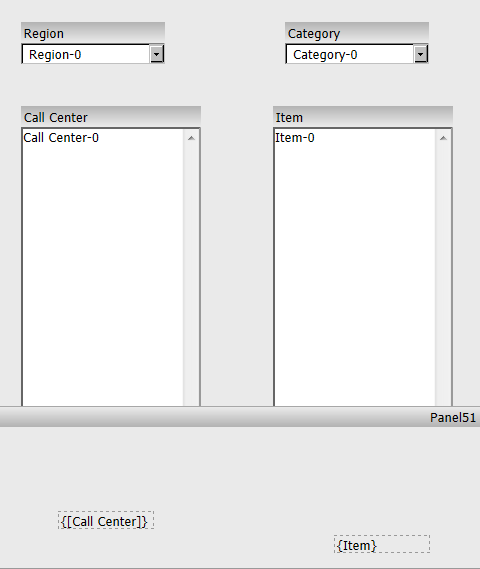
  • The design of the dashboard should look, as shown below:
ka04W000000Og36QAC_0EM4400000026he.png
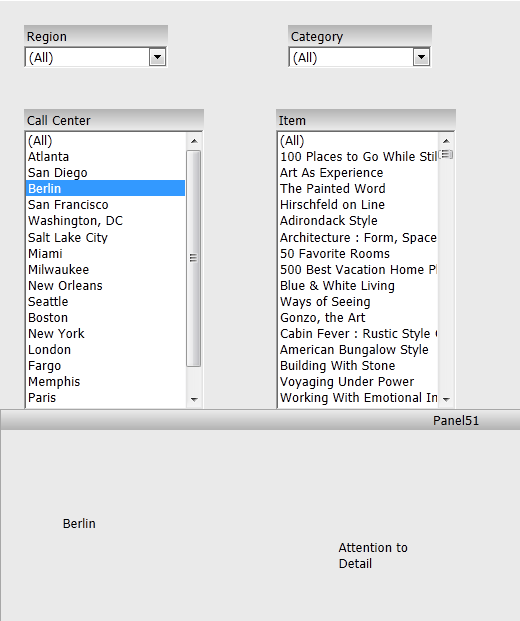
  • Execute the dashboard and make a selection from the Call Center selector and the element should be displayed in the corresponding text box, as shown below:
ka04W000000Og36QAC_0EM4400000026hb.png
  • However, making a selection in the Item will make both text boxes disappear, as shown below:
ka04W000000Og36QAC_0EM4400000026hd.png
  • Note: The behavior is consistent with all view modes.

CAUSE:
 This is an identified defect in Strategy Web 9.3.0.
 
ACTION:
 
This issue was reviewed by our Technology team for feasibility and will not be scoped for a code fix in any upcoming Strategy release.
 
WORKAROUND:
 
If all 4 attributes are on one dataset instead of two separate datasets, the issue will not occur.
 
43390


Comment

0 comments

Details

Knowledge Article

Published:

July 10, 2017

Last Updated:

July 10, 2017