When connecting to a SQL Server based metadata through Strategy Configuration Wizard for either the purpose of configuring or upgrading, a user receives as shown below:

Sample Code/Error
Login failed for user 'Corp\mbanos'.
It can be seen that a Windows NT login is being passed and this can be verified to be correct by checking the ODBC administrator for the following configuration:
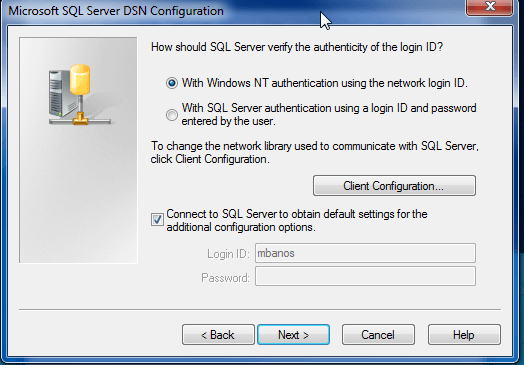
Once this is verified it's important to determine the source of the incorrect login. The first place to check would be the Windows Services to verify that that Strategy Intelligence Server Service is being run as a user with Administrator Access to Windows environment and access to the SQL Server Metadata.

Upon changing the Local System back to a valid Windows NT account with SQL Server Access, the end user is able to connect and upgrade the metadata in question.
KB43414
