SYMPTOM
Prior to Strategy Web 9.3.1, users that created a Visual Insight object with one grid report as selector of another and enabling the option to "Allow users to clear all selections" would be able to clear those selections by clicking on the attribute header. After upgrading to the Strategy Mobile 9.3.1 app and executing the same VI dashboard via Strategy Mobile 9.3.0 server, tapping the attribute header would no longer clear the selections.
STEPS TO REPRODUCE
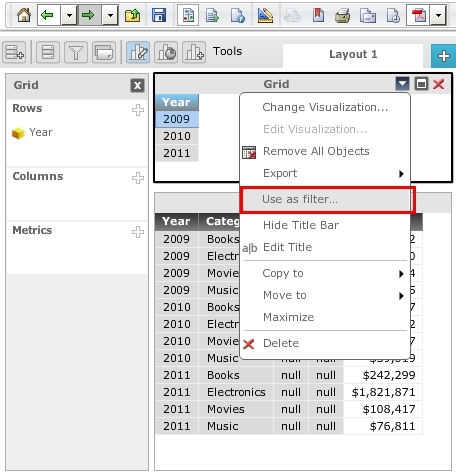
Follow these steps to setup a grid report as a selector of another grid in Strategy Web Visual Insight (Dashboards) 9.3.1.


CAUSE:
This is working as designed. A design change was introduced in the Strategy Mobile 9.3.1 app where the selections would be cleared by tapping the currently selected item rather than the attribute header.
ACTION:
To clear the selection tap the element that is currently selected.
