SYMPTOM:
A user attempts to install Strategy 9.x on a Windows machine. While selecting the components for installation, specifically Strategy Web, the user clicks "Next" and receives the following error:
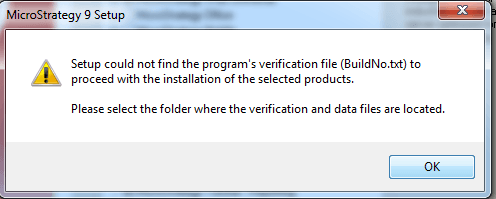
The filename, BuildNo.txt, is referring to a file that is installed with the .NET Framework version 4.0 or higher. However, even after confirming the installation of the .NET framework or performing a repair on it via Control Panel, the error remains.
CAUSE:
One possible cause of this problem is a corrupt installation of the .NET framework. Unfortunately, repairing the file will not allow the Strategy Installation to find the file.
ACTION:
Uninstall .NET framework and perform a complete uninstallation of Strategy if any component of it has already been installed. Then, reinstall the .NET Framework and reinstall Strategy.
