Enter the MDX Cube Editor for the desired MDX cube. (This can be done by finding the cube object within the Data Explorer)
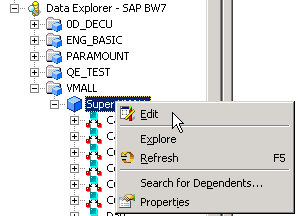
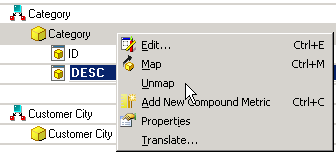
Navigate to the attribute which has been mapped to one of the projects schema attributes.
Right click the attribute and select unmap
Save and Close the MDX Cube Editor
NOTE: Prior to 9.3.1 the unmap feature was not available and different steps were used to unmap MDX attributes from the projects Schema attributes. For steps on unmapping MDX attributes in Strategy versions prior to 9.3.1 refer to KB17556: How to remove mappings in OLAP cube data sources from the project attribute in MicroStrategy Developer 9.x.
