SYMPTOM:
When running MDX cube report against Microsoft Analysis Service 2012, the following error returns:

Sample Code/Error
"The result set may contain the character "&" or "<". Not all OLAP Cube providers handle these characters properly and that may be causing this report to fail. Invalid document structure."
CAUSE:
The XMLA connector Microsoft XMLA provider doesn't retrieve data properly in binary mode.
In Database Instance definition for the MDX source, the Database Connection type chosen is 'Microsoft Analysis Services 2012 (MDX Cube Provider)' which should be corresponding to MDX Cube Provider.
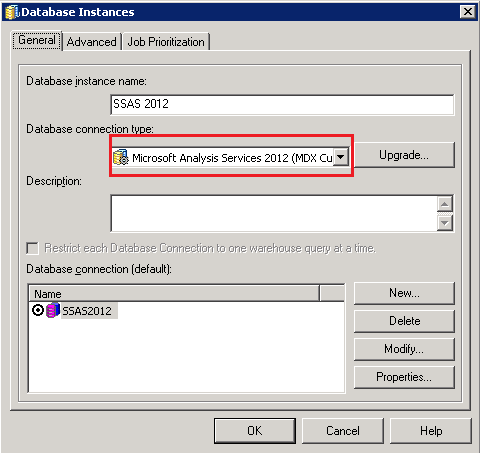
MDX Cube Provider is component included in Strategy Product Suite start from 9.4.1 and used as connector to Microsoft Analysis Service 2012 directly. Enhanced method to retrieve data from MDX sources is used by MDX Cube Provider, which consist in retrieve in binary/compressed mode the data from the report, so serialization/unserialization of data becomes faster with less memory footprint.
Since Database Connection type 'Microsoft Analysis Services 2012 (MDX Cube Provider)' is chosen, XMLA connectors will assume the XMLA result is in binary format and try to translate it accordingly. However the Microsoft XMLA provider is not compatible
to retrieve data in binary format and therefore error occurs during report execution.
ACTION:
Use MDX Cube Provider instead to connect to Microsoft Analysis Services 2012.
WORKAROUND:
The feature of retrieving data in binary mode is enabled by adding a keyword on the Connection string of the DBConnection object “USE_MTOM;” Users can manually remove this parameter if Microsoft XMLA provider is still being used.

NOTE: Manually remove the parameter "USE_MTOM;” is not recommended since the quality is not guaranteed.
