EducationSoftwareStrategy.com
StrategyCommunity

Knowledge Base

Product

Community

Knowledge Base

TopicsBrowse ArticlesDeveloper Zone

Product

Download SoftwareProduct DocumentationSecurity Hub

Education

Tutorial VideosSolution GalleryEducation courses

Community

GuidelinesGrandmastersEvents
x_social-icon_white.svglinkedin_social-icon_white.svg
Strategy logoCommunity

© Strategy Inc. All Rights Reserved.

LegalTerms of UsePrivacy Policy
  1. Home
  2. Topics

KB43654: "Error while trying to launch application: Could not find the JVM library file" error message appears when launching Configuration Wizard in MicroStrategy 9.x in Windows XP


Community Admin

• Strategy


When user launches Configuration Wizard, “Error while trying to launch application: Couldn't find the JVM library file” error message appears.

 
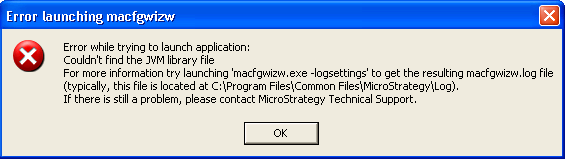
When user launches Configuration Wizard, “Error while trying to launch application: Couldn't find the JVM library file” error message appears, as showed below.
 

ka04W000000ObWcQAK_0EM440000002HLO.png

 
Sample Code/Error
Error while trying to launch application:
Couldn’t find the JVM library file
For more information try launching ‘macfgwizw.exe -logsettings’ to get the resulting macfgwizw.log file (typically, this file is located at C:\Program Files\Common Files\Strategy\Log).
If there is still a problem, please contact Strategy Technical Support.
 
Eventually, Configuration Wizard cannot be launched and intelligence server cannot be configured.
 
CAUSE
This error is due to the fact that jvm.dll file is missing from C:\Program Files\Common Files\Strategy\JRE\160_07\Win32\bin\client.
 
ACTION:
 
Download and install JRE_1.6.00_07 to the path C:\Program Files\Common Files\Strategy.
KB 000022116


Comment

0 comments

Details

Knowledge Article

Published:

May 5, 2017

Last Updated:

October 1, 2018