SYMPTOM:
"The system cannot find the file specified" error appears when running MAImportPackage command to create undo package in Strategy 9.3.0 as shown below:
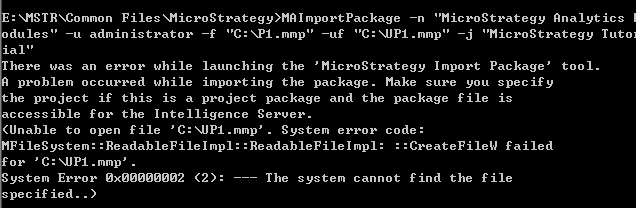
There was an error while launching the 'Strategy Import Package' tool.
A problem occurred while importing the package. Make sure you specify
the project if this is a project package and the package file is
accessible for the Intelligence Server.
(Unable to open file 'C:\UP1.mmp'. System error code:
MFileSystem::ReadableFileImpl::ReadableFileImpl: ::CreateFileW failed
for 'C:\UP1.mmp'.
System Error 0x00000002 (2): --- The system cannot find the file
specified..)
The following steps demonstrate how to reproduce the issue in Strategy Analytics Modules:
MAImportPackage.exe -n "Strategy Analytics Modules" -u administrator -f "C:\P1.mmp" -uf "C:\UP1.mmp" -j "Strategy Tutorial"
The command means to create undo package UP1.mmp when importing package P1.mmp.
CAUSE:
This is a known issue in Strategy Object Manager 9.3.0.
ACTION:
Strategy will continue to investigate and post updates as soon as they are available.
