SYMPTOM:
When a user connected to a project on Strategy Intelligence Server 8.x closes Strategy Developer or a Web browser without clicking the 'Logging off' or 'Disconnect from project source' buttons, connections are still shown in the User Connection Monitor.
CAUSE:
By default, the User Connection Monitor is set to keep all user connections that have been created. These connections are not dropped if the user simply closes Strategy Developer or Strategy Web without logging off. Therefore, when a user logs into Strategy Web or connects to Strategy Developer, the connections exist until the user either logs out or disconnects from the project source
ACTION:
Alter one of the timeout settings to drop user connections after a certain period of inactivity.
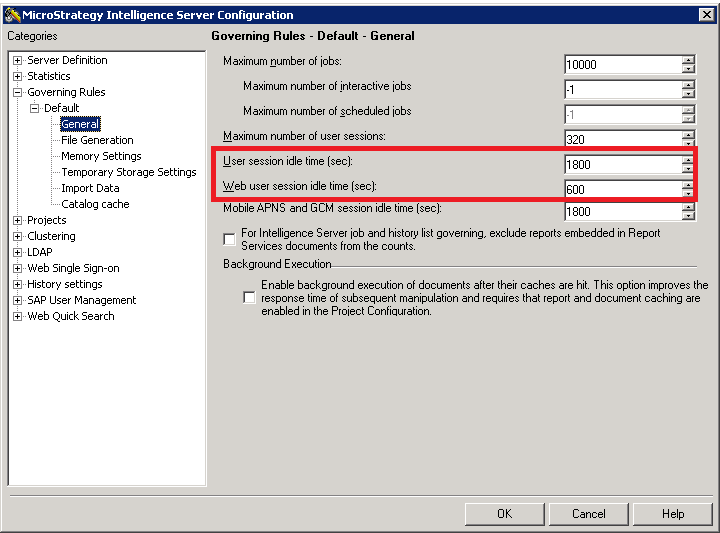
Note: User session Idle Time is set to '-1' by default, ensuring that Strategy Intelligence Server retains all connections that have been made.
