Description
After enabling the project level setting "Hide Document Grid" under Project Configuration > Report definition > Advanced the settings does not take effect when running a document in Web Express View Mode or Strategy Mobile on iOS.
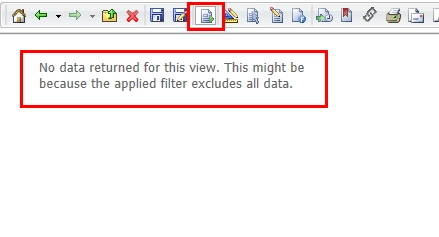
Even after restarting Web Server and restarting the Strategy Mobile app as per KB43804, the following message is displayed:
No data returned for this view, this might be because the applied filter excludes all data.
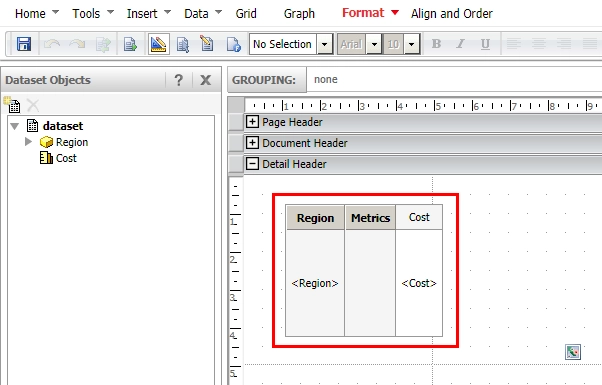
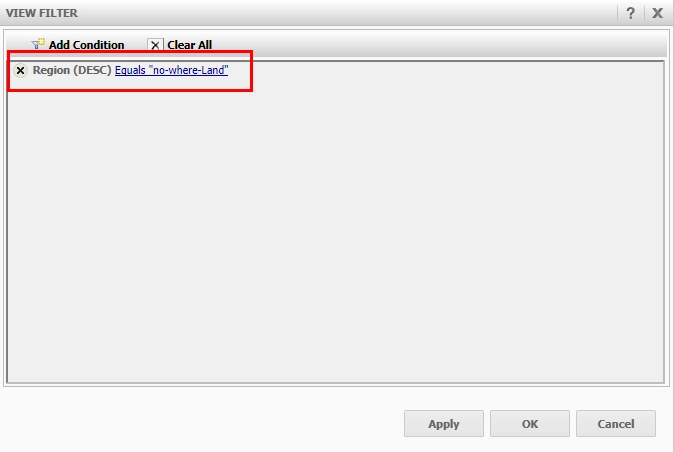
2. Add a view filter to the document grid in order to make sure that no data is returned when executing the document.
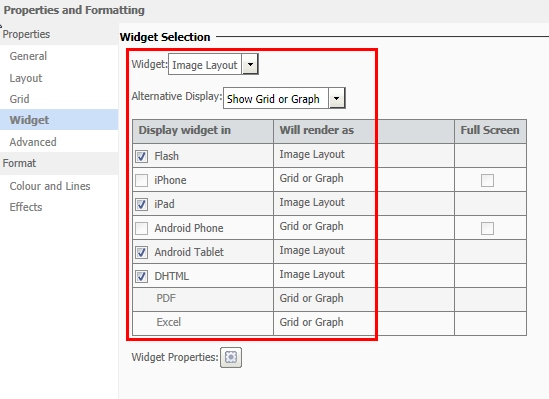
3. Change the grid to display as Image Layout Widget. Right-click grid > Properties > Widget.
4. Enable Project Level Setting "Hide Document Grid" under Project Configuration > Report definition > Advanced
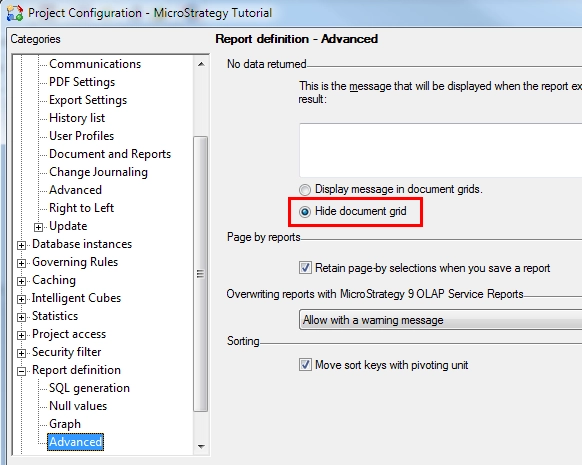
Note: You may need to restart you Web Server to apply the changes.
5. Clear all caches of the document on Intelligence Server.
6. Run the document in express mode and note that the message is still displayed even though the grid / widget should be removed after enabling the setting. The same behaviour is reproducible in Strategy Mobile.
Cause
This is a known issue in Strategy Web and Mobile 9.3.1.
Action
On Strategy Mobile, this issue has been addressed in Strategy 9.3.2.
For Strategy Web, contact Strategy Technical Support for an update on this defect. The Strategy Internal Reference Number for the issue discussed in this technical note is 436090.
