Description
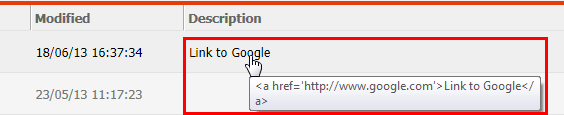
This technical note describes an issue with HTML tags in the object description field of objects such as folders, reports and documents - only occuring in folder list view. If the HTML tag is constructed with double quotes ("), i.e. <a href> hyperlinks, then the HTML is not properly rendered in Strategy Web 9.3.x when browsing in folder list view as seen on the screenshot below.

Steps to reproduce
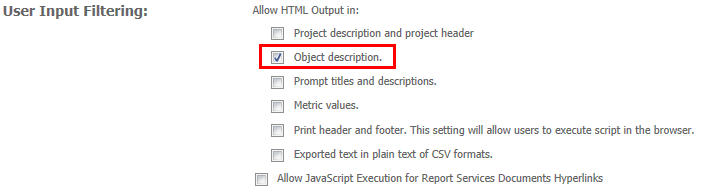
1. In Web Administrator, enable HTML Output in Object Descriptions under Security > User Input Filtering.
2. Make sure to switch to "Folder List View"
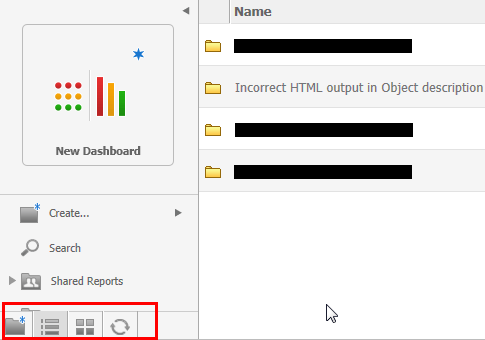
3. In Strategy Web, add the following HTML tag to the object description of i.e a folder object:
a. Right-click folder and select "Properties"
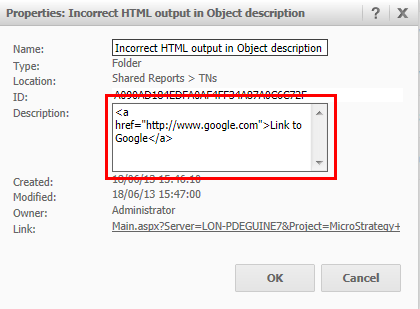
b. Copy the following HTML tag:
<a href="http://www.google.com">Link to Google</a>

Cause
This is a known issue in Strategy Web 9.3.x.
Action
This issue has been addressed with Strategy Web 10.x. Upgrade to take advantage of the fix.
Workaround
There are two workarounds available:
1. Since the issue only affects Folder List View, consider using Folder Icon View.
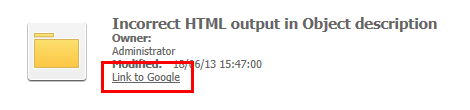
2. Replace all double quotes (") in the HTML tag with single quotes (') and the HTML will be rendered correctly as seen on the screenshot below.
<a href='http://www.google.com'>Link to Google</a>