Follow the steps below in order to create a new report template that can be used when creating new reports in Strategy Developer or Web:
1) In Strategy Developer, log onto the desired project
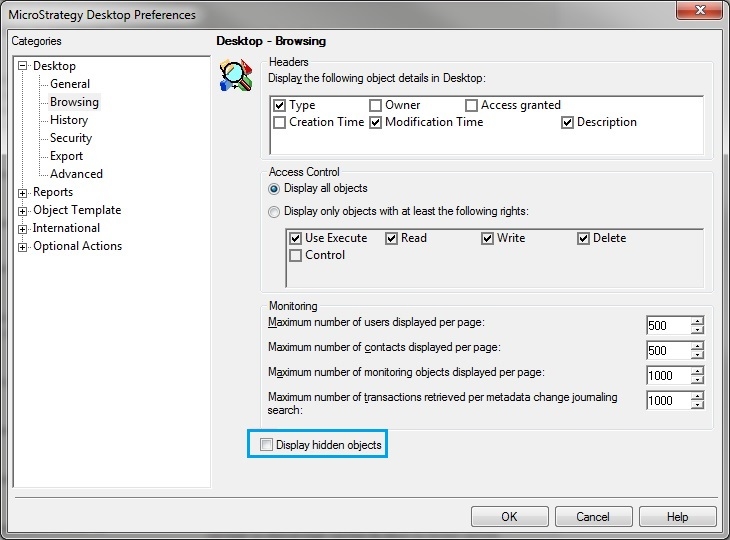
2) Click on the Tools menu and select Developer Preferences
3) Click on Browsing
4) Mark the Display hidden objects checkbox and click on OK:
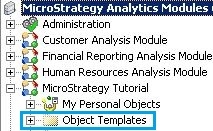
Now the Object Templates folder should be visible, as shown:
5) Create the desired report and save it within the Reports folder within the Object Templates folder.
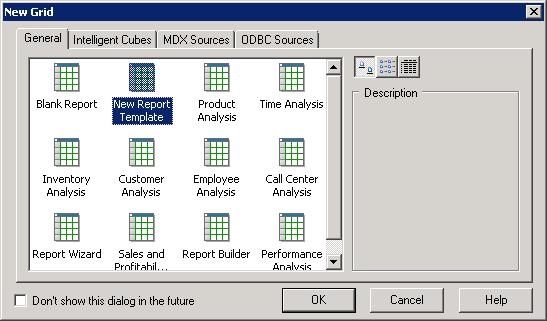
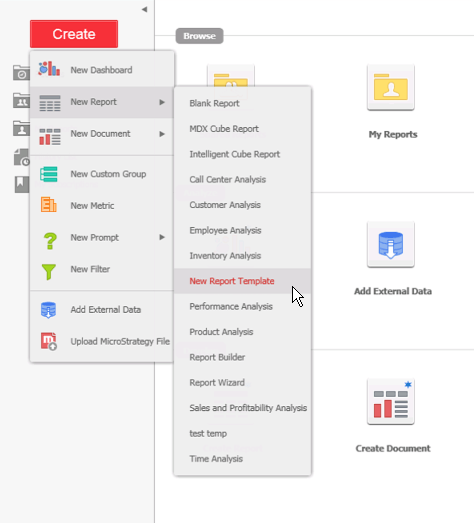
6) Then, the newly created report will be available as a report template option when creating new reports in:
Strategy Developer
Strategy Web:
43821
