SYMPTOM:
In Strategy Web, the name of the project on the login page is different to the one displayed once the user has logged in.
Login Page:

After Login:

TROUBLESHOOTING STEPS:
1. Verify the translation in Desktop:
Go to Project Configuration > Project Definition > General
Click on modify under Properties > International
You can see the default language for the project.
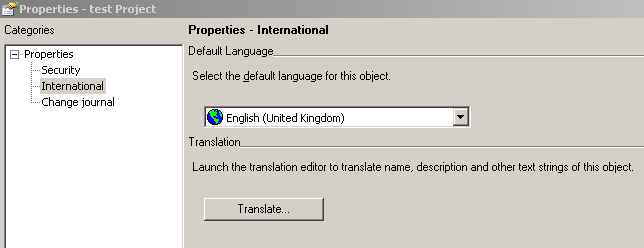
Click on translate, you may have different names for your project in each language.

2. Verify the browser language settings:
When logging in Strategy Web, the project name is "test Project" which is the project name even though the default language is English (United Kingdom) and the name should be "Duplicate Project".
Explanation:
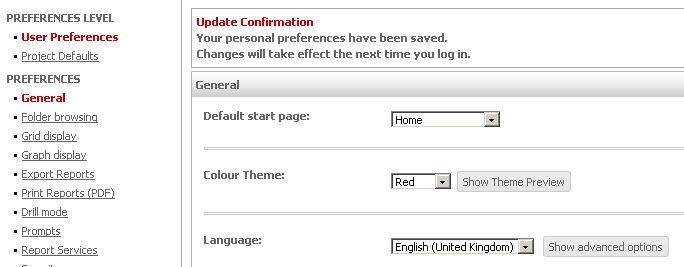
The name will use the browser default language preferences, English (United States) in this case. If the preference is set to English (United Kingdom) in the user preferences in Strategy Web. The project name will be the English (United Kingdom) translation.("Duplicate Project" in that case)
3. Verify the preferences at the user level in Strategy Web