EducationSoftwareStrategy.com
StrategyCommunity

Knowledge Base

Product

Community

Knowledge Base

TopicsBrowse ArticlesDeveloper Zone

Product

Download SoftwareProduct DocumentationSecurity Hub

Education

Tutorial VideosSolution GalleryEducation courses

Community

GuidelinesGrandmastersEvents
x_social-icon_white.svglinkedin_social-icon_white.svg
Strategy logoCommunity

© Strategy Inc. All Rights Reserved.

LegalTerms of UsePrivacy Policy
  1. Home
  2. Topics

KB438574: MicroStrategy Command Manager 10.x ‘Trigger All Subscriptions for Delivery Type’ command changes the delivery format of subscriptions to HTML


Heather Brewster

Senior Manager, Technical Support • MicroStrategy


The issue described in this document has been classified as a defect by MicroStrategy. When triggering all subscriptions with a specified delivery type using MicroStrategy Command Manager 10.x, the delivery format of all subscriptions for that delivery type will change to HTML.

SUMMARY
The issue described in this document has been classified as a defect by Strategy. When triggering all subscriptions with a specified delivery type using Strategy Command Manager 10.x, the delivery format of all subscriptions for that delivery type will change to HTML. 
 
SYMPTOM
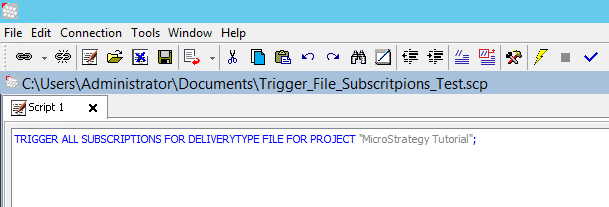
After running the following command in Command Manager, all subscriptions of that specified delivery type will be set to deliver as HTML.  


TRIGGER ALL SUBSCRIPTIONS FOR DELIVERYTYPE EMAIL FOR PROJECT "Project Name";
Any email subscriptions in that project set with the delivery format Excel, PDF CSV or Plaintext will have their delivery format changed to HTML after running this command. Additionally, if the same command is run for ‘DELIVERYTYPE FILE’, any file subscription, regardless of the original specified delivery format, will be delivered as HTML. 
 
STEPS TO REPRODUCE

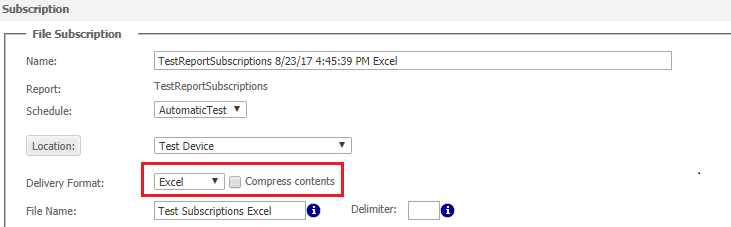
  • Create a file subscription with the delivery format set to Excel
ka02R000000kb27QAA_0EM440000009kmV.png
  • When the subscription runs, the file delivers as an Excel file.
ka02R000000kb27QAA_0EM440000009kma.png
  • Run the “Trigger all subscriptions for delivery type” command in Command Manager.
ka02R000000kb27QAA_0EM440000009kmB.png
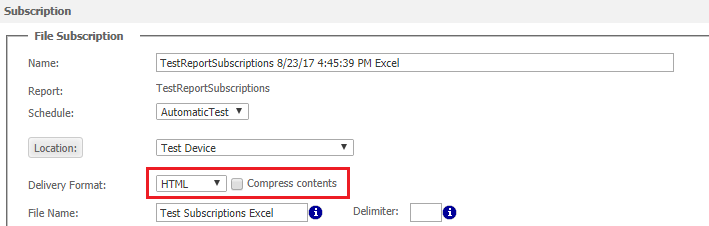
  • After running the command in Command Manager, edit the subscription and the delivery format for that subscription is now set to HTML. 
ka02R000000kb27QAA_0EM440000009kmf.png
  • Now, the file subscription will be delivered as an HTML file.
ka02R000000kb27QAA_0EM440000009kmk.png


CAUSE
This has been identified as a defect in Strategy Secure Enterprise 10.x. 
ACTION
The Strategy Development team is currently investigating this issue. Contact Strategy Technical Support for an update about this issue.   KB38574 KB438574


Comment

0 comments

Details

Knowledge Article

Published:

August 29, 2017

Last Updated:

December 31, 2018