EducationSoftwareStrategy.com
StrategyCommunity

Knowledge Base

Product

Community

Knowledge Base

TopicsBrowse ArticlesDeveloper Zone

Product

Download SoftwareProduct DocumentationSecurity Hub

Education

Tutorial VideosSolution GalleryEducation courses

Community

GuidelinesGrandmastersEvents
x_social-icon_white.svglinkedin_social-icon_white.svg
Strategy logoCommunity

© Strategy Inc. All Rights Reserved.

LegalTerms of UsePrivacy Policy
  1. Home
  2. Topics

KB438774: When running a Transaction Services document in MicroStrategy Web 10.4 HF5 and 10.9, the “Invalid argument” error shows.


Monica Gallegos Salazar

Principal Product Specialist • MicroStrategy


This issue has been classified as a defect by MicroStrategy. The impact is from the MicroStrategy Web 10.4 HF5 and 10.9 product when trying to run a Transaction Services report in which a grid is being used to configure the transaction. A workaround is available in the current document.

SYMPTOM:
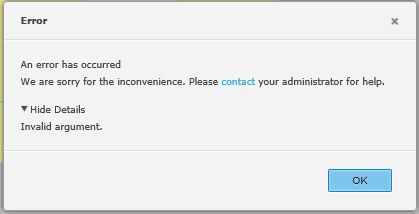
When a Transaction Services document is run in Strategy Web, the following error shows:
ka02R000000kb32QAA_0EM44000000Q2vS.png


Invalid argument.

 
STEPS TO REPRODUCE:

  1. In Strategy Tutorial, go to Shared Reports – Strategy Platform Capabilities –  Strategy Transaction Services and run the “Monthly Regional Sales Targets Planning” document”
  2. The error mentioned above will show.

CAUSE:
This is a known issue in Strategy Web 10.4 HF5 and 10.9. If there is a column in the grid which has a width of 0 and doesn't display in Presentation Mode/Editable Mode, the issue will occur.
ACTION:
The issue has been solved in Strategy 10.10 and 10.4 Hotfix 6. Upgrade to this version to benefit from the fix
WORKAROUND:
As a workaround, users can increase the width of the column. KB438774


Comment

0 comments

Details

Knowledge Article

Published:

October 19, 2017

Last Updated:

December 31, 2018