SYMPTOM:
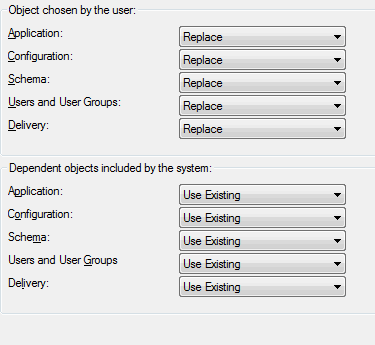
When creating a Strategy Object Manager package using Project Comparison, the objects that are selected by the user get the default object action from the "Dependent objects included by the system" preference not from the "Object chosen by the user" preference
STEPS TO REPRODUCE:
1. In Object Manager Preferences > Conflict Resolution > Default Object Actions > Object chosen by the user, change all actions for all object types to "Replace"
2. For Dependent objects included by the system, Keep all actions to "Use existing"
3. Open a project source in Object Manager
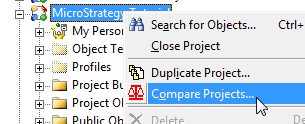
4. Right click a project and select Compare Projects
5. Select a destination project source and project to compare the project to
6. In the Project Comparison Result Set window, select objects to be included in an Object Manager package
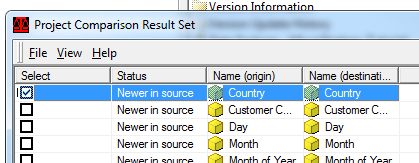
7. Click the proceed button
8. In the Conflict Resolution window, The selected object Action is Use Existing, not Replace.

CAUSE:
This is working as designed. When objects are selected by project comparison, the objects are moved from their respective folders in the source project to the destination project the same way dependent objects of user selected objects are. The Object Manager preference for user selected objects is only applied when a user drags an object from one folder in the source project and copies it to a folder in the destination project. For objects selected by the user, object manager displays the conflict resolution dialog even if they have same versions in source and destination projects. For dependency objects, if they have same version and parent folder in source and destination project, then Object manager does not show them in conflict resolution dialog while setting their actions as use existing. This is the reason that objects selected by project comparison behave like dependent objects of user selected objects.
There is an existing enhancement request to have object selected in Project Comparison receive the default action for user selected objects.
ACTION:
Strategy will continue to investigate and post updates as soon as they are available.
