SYMPTOM:
Web page keeps refreshing after use login. User are not able to continue any manipulation.
CAUSE:
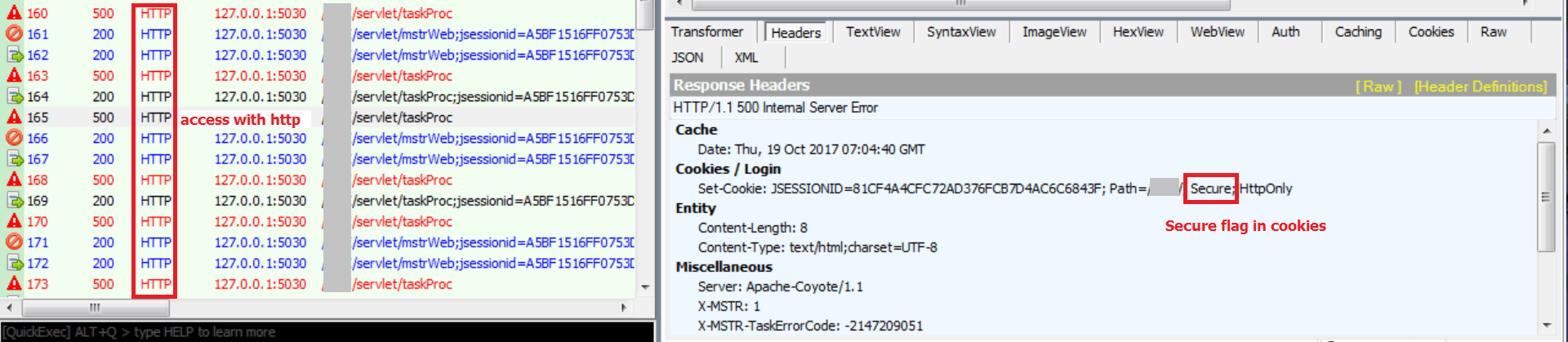
One possible cause is that in Strategy Web, user enabled "Secure" flag in cookies but accessing Strategy Web with http.
See below article for more information about Secure flag in cookie:
https://www.owasp.org/index.php/SecureFlag
By default, this flag is not set by Strategy, some users may add this flag to fulfill security requirement. Note that with this flag always set, sessions won't work in environments(development/test/etc.) that may use http.
To determine if there is a secure flag set, capture Fiddler log, in response header section, check for cookies, as shown below:
ACTION:
Take either of below action to resolve the issue:
1. Remove secure flag from cookies
2. Only use https to access Strategy Web
