SYMPTOM:
When a user adds a R script metric to a document in Strategy, after installing R Integration pack and reviewing the documentation, the metric will still not show any information.
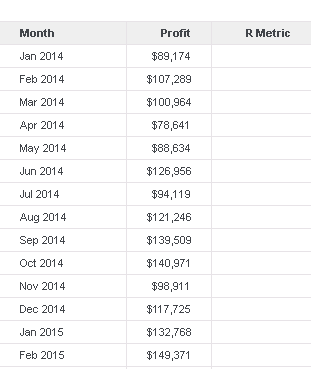
After checking DSSErrors.log, the following error can be seen:
[SERVER:CastorServer][PID:2264][THR:4420][Analytical Services][Error][0x80042425] Analytical Engine Error. Apply function failed. Internal error.
[SERVER:CastorServer][PID:2264][THR:4420][Analytical Services][Error][0x80002434] Analytical Engine plug-in function error: [CRFPCommonNNGEN::ExRScript: R script execution failed:  package or namespace load failed for 'forecast']
CRFPCommonNNGEN::ExRScript: R script execution failed: package or namespace load failed for 'forecast'

Error in loadNamespace (i, c(lib.loc, .libPaths()), versionCheck = vI[[i]]) :
there is no package called 'rlang'
Error: package or namespace load failed for 'forecast'
This error shows that the package 'forecast' has some dependencies that have not been installed, and because of that it is failing to load.
ACTION:
To install the missing dependencies, the following command can be executed:

> install.packages('rlang')
After installing the missing package, the command library(forecast) can be executed again to see if there are any other missing dependencies.
For this test, there was another dependency missing, 'quantmod'.
The procedure to install that is the same as before:
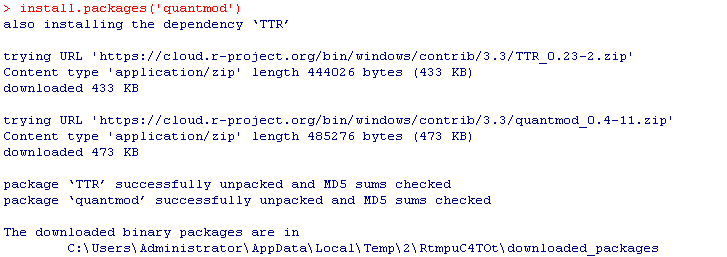
> install.packages('quantmod')
When all missing dependencies have been installed, running the library(forecast) command should issue no message, which would indicate that it has been loaded correctly.
To continue, the user can run the following command to bring up the R GUI Console:

> deployR()
And make the desired adjustments to the script, which can then be moved to Strategy.
This time the metric will show values as expected.
KB439096
