SYMPTOM
The user is trying to refresh an external dataset that was added from an Excel file.
The Excel file gets updated with another column in the meantime.
When the user is republishing the cube – the new column is not available in the dataset pane.
STEPS TO REPRODUCE
1. Create a Dashboard
2. Add external dataset from an Excel file
3. Add additional column in the same Excel file
4. From VI Dashboard editor go to Republish Cube
5. Select the same Excel file as Data Source and choose any Refresh Policy
6. Confirm by hitting Republish and then Done
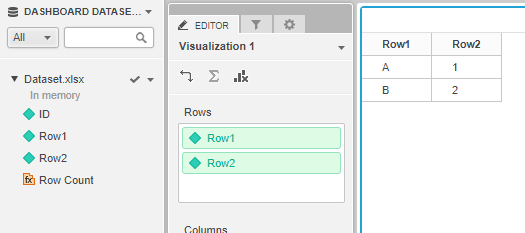
7. Notice that the additional column is not visible in the datasets pane on the left

CAUSE
This is working as designed. Adding another column changes the table schema and republishing the In-memory Cube does not update the table schema.
WORKAROUND
1. From the existing dataset in Dashboard editor window select Edit Dataset

2. Then in the Preview window select the little arrow down in the upper right corner of the Dataset table and select Edit table

3. Select Choose a file button and navigate to the updated Excel file; confirm with OK button
4. Use the Refresh button in the lower right
5. In the Preview window you should see now the newly created column added from Excel
6. Use Update Dataset button
7. The new column should be available for use in the left Dashboard Datasets pane
KB439119
