SYMPTOM
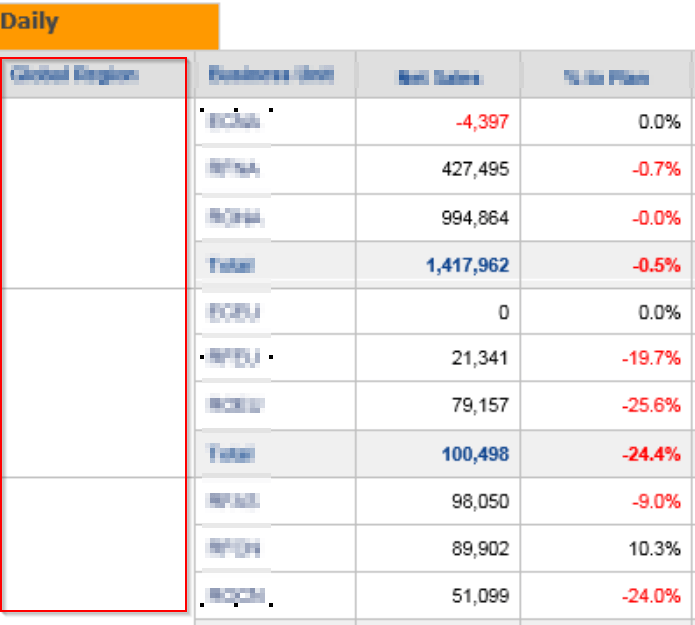
When user open a Report or Document Email Subscription that was sent using "HTML Delivery Format" in Microsoft Word or Outlook, they may encounter the following issues:
1) If you merge vertical cells in a table, the cell content disappears, and you can't select the merged cell.
2) If you open an existing document that has a table with merged cells, the cells are displayed as blank.
CAUSE
This issue is caused by Microsoft security update KB4011039, and only affect users who receive Office 2016 updates using Windows Installer technology (MSI).
WORKAROUND
As a workaround, you can uninstall this update, and your tables will return to normal.
ACTION
To fix this issue, install October 3, 2017, update for Word 2016 (KB4011140).
For more information, see the following Microsoft article:
After installing KB 3213656 or KB 4011039, merged table cells don't work correctly in Word or Outlook
THIRD PARTY SOFTWARE INSTALLATION WARNING:
The third-party product(s) discussed in this technical note is manufactured by vendors independent of Strategy. Strategy makes no warranty, express, implied or otherwise, regarding this product, including its performance or reliability.
KB439195 KB439195
