EducationSoftwareStrategy.com
StrategyCommunity

Knowledge Base

Product

Community

Knowledge Base

TopicsBrowse ArticlesDeveloper Zone

Product

Download SoftwareProduct DocumentationSecurity Hub

Education

Tutorial VideosSolution GalleryEducation courses

Community

GuidelinesGrandmastersEvents
x_social-icon_white.svglinkedin_social-icon_white.svg
Strategy logoCommunity

© Strategy Inc. All Rights Reserved.

LegalTerms of UsePrivacy Policy
  1. Home
  2. Topics

KB439205: "Object with ID xxx and type 3 (Report Definition) is not found in metadata. " error displayed when importing .mstr file containing custom group in Desktop


Community Admin

• Strategy


This knowledge base article describes an issue that may occur when trying to import certain .mstr files with custom group in MicroStrategy Desktop. This a limitation of MicroStrategy Desktop. The impact is limited to .mstr files with custom group that uses "report as shortcut" or "set qualification" filter in its definition.

SYMPTOM:
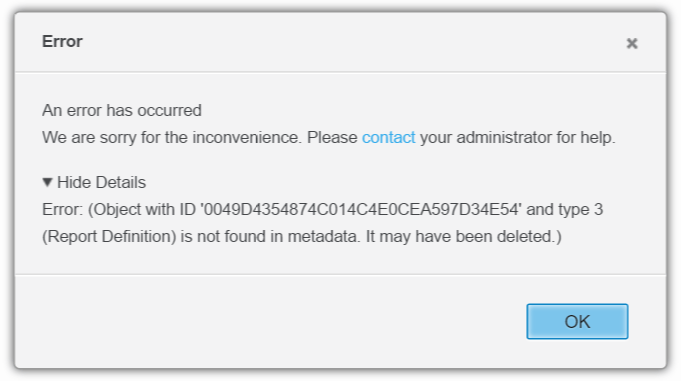
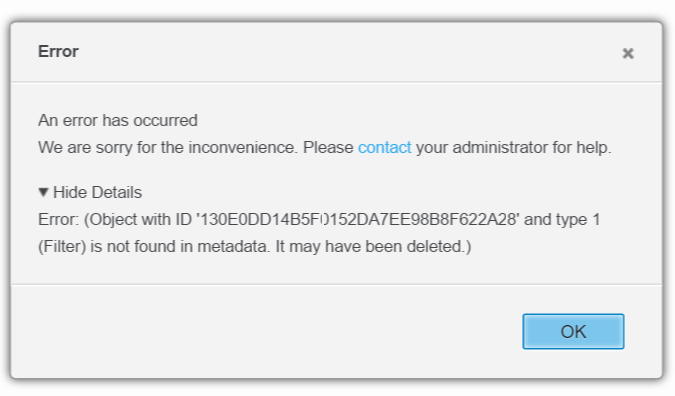
When a user try to import .mstr file with custom group that uses "report as a filter" or "set qualification" filter in its definition, the below error message is displayed:
.mstr file with custom group that uses "report as a filter", the below error message is displayed
ka04W000000Ob1vQAC_0EM44000000QAw4.png

.mstr file with custom group that uses "set qualification", the below error message is displayed
ka04W000000Ob1vQAC_0EM44000000QAw9.png

CAUSE:
This is a limitation of Strategy Desktop. Currently, Strategy Desktop do not support .mstr files with custom group that uses "report as a filter" or "set qualification" filter in its definition.
ACTION:
Use other types of filter qualification such as an "attribute qualification" filter in the custom group instead of "report as a filter" or "set qualification" filter. 39205 KB439205


Comment

0 comments

Details

Knowledge Article

Published:

December 11, 2017

Last Updated:

December 31, 2018