Starting with the release of Strategy ONE (March 2024), dossiers are also known as dashboards.
The steps for getting this are:
1. First of all you need to share the RSD to be embedded, using precisely the embed option. It results in a iframe code like this:
<iframe width="1000" height="750" src="https://env-75597.customer.cloud.microstrategy.com:443/MicroStrategy/servlet/mstrWeb?evt=2048026&src=mstrWeb.2048026&subscriptionID=0A74364E11E7E0F6821B0080EF95794A&Server=ENV-75597LAIOUSE1&Project=MicroStrategy%20Tutorial&Port=0&share=1&hiddensections=header,path,dockTop,dockLeft,footer"></iframe>
I prefer using a width of 1000 and a height of 750 for my designs, but you can try with others that fit better for your RSD. It depends on your dimensions.beginning you need also to insert this code:
2. Then, at your Dossier editing interface you have to insert a new html viz and, using the "html text" option, insert the previous code. But, in the
<body><div style="text-align:center;"></body>
3. Insert the option frameborder="0" inside the iframe tag before the src
frameborder="0"
The resulting code should be like this:
<body><div style="text-align:center;"></body>
<iframe width="1000" height="750" frameborder="0" src="https://env-75597.customer.cloud.Strategy.com:443/MicroStrategy/servlet/mstrWeb?evt=2048026&src=mstrWeb.2048026&subscriptionID=0A74364E11E7E0F6821B0080EF95794A&Server=ENV-75597LAIOUSE1&Project=Strategy%20Tutorial&Port=0&share=1&hiddensections=header,path,dockTop,dockLeft,footer"></iframe>
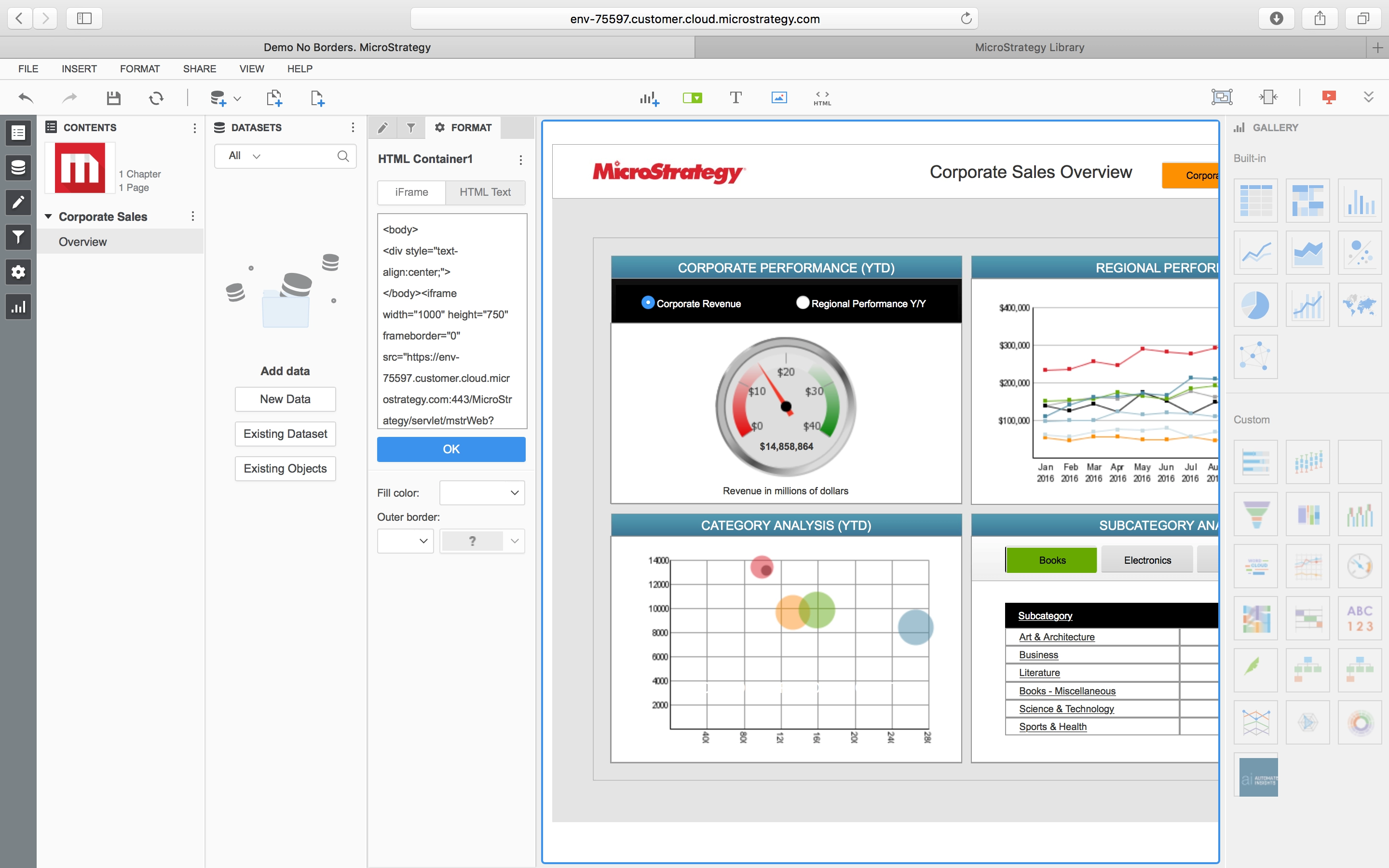
Editing the Dossier
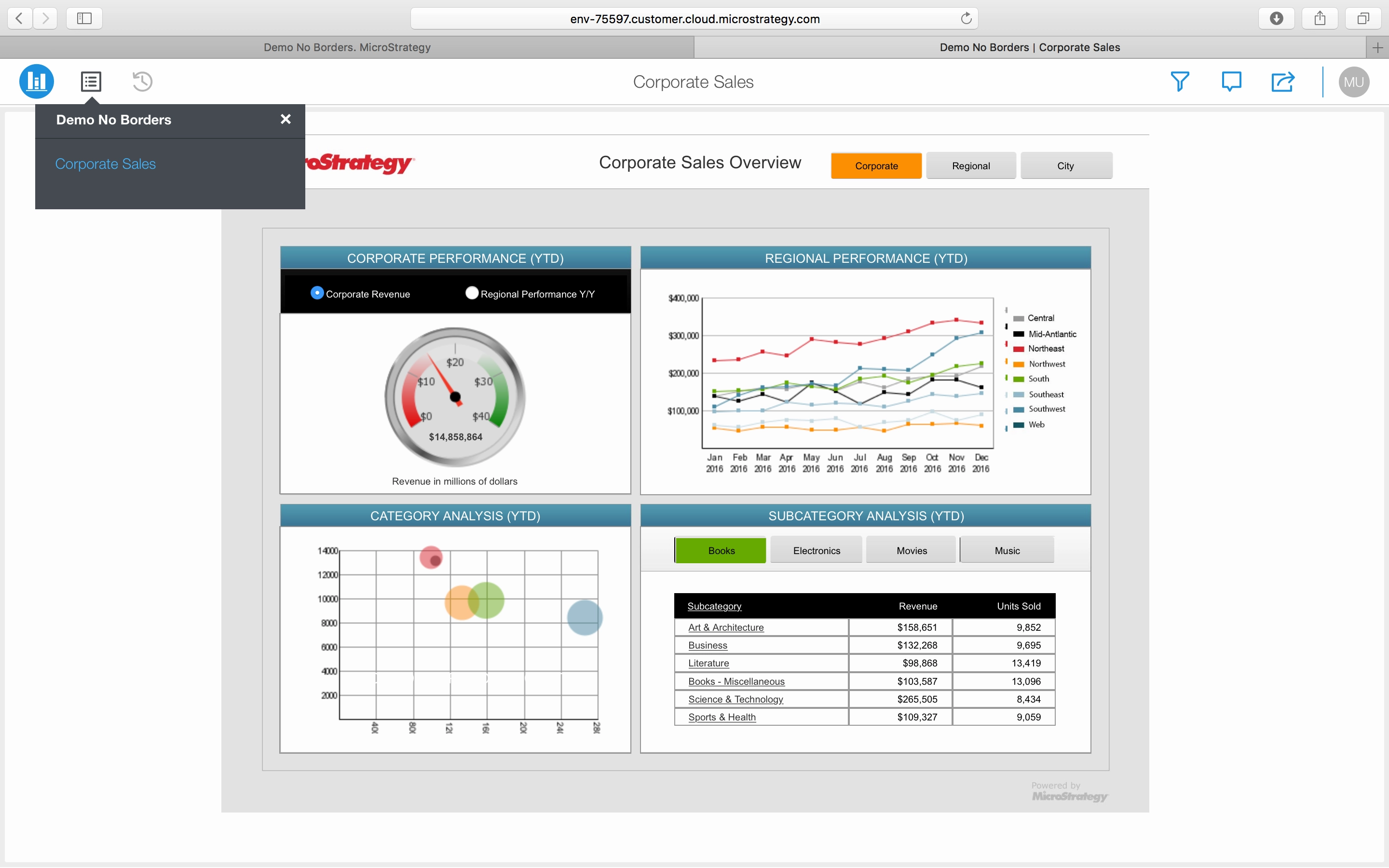
Resulting Dossier
KB439222
