EducationSoftwareStrategy.com
StrategyCommunity

Knowledge Base

Product

Community

Knowledge Base

TopicsBrowse ArticlesDeveloper Zone

Product

Download SoftwareProduct DocumentationSecurity Hub

Education

Tutorial VideosSolution GalleryEducation courses

Community

GuidelinesGrandmastersEvents
x_social-icon_white.svglinkedin_social-icon_white.svg
Strategy logoCommunity

© Strategy Inc. All Rights Reserved.

LegalTerms of UsePrivacy Policy
  1. Home
  2. Topics

KB43923: When creating a new subscription in Web, the "OK" button is missing when a dynamic recipient list is a selected recipient in the "To" field in MicroStrategy Distribution Services 9.4.x - 10.x


Community Admin

• Strategy


When creating a new subscription in Web, the "OK" button is missing when a dynamic recipient list is a selected recipient in the "To" field in MicroStrategy Distribution Services 9.4.x - 10.x

SYMPTOM:
 
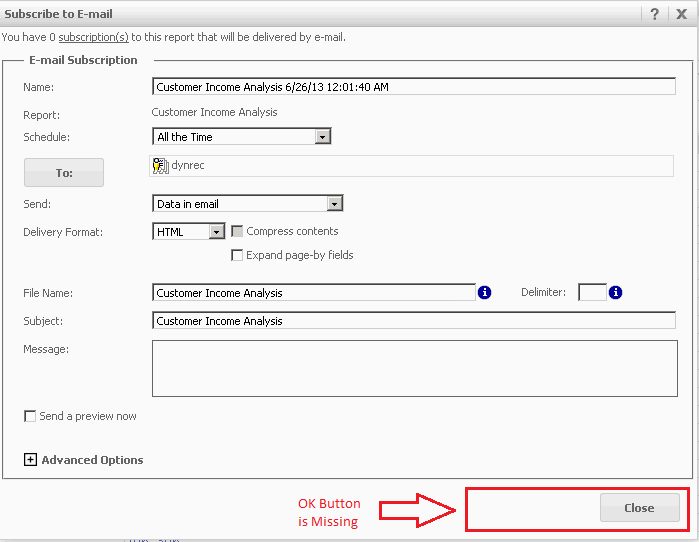
The "OK" Button is missing when creating a new subscription in Strategy Web 9.4.x - 10.x when a dynamic recipient list is selected in the "To" field as shown below.
 

ka04W000000OggHQAS_0EM4400000029Zq.png

 
STEPS TO REPRODUCE:

  • Create a user and provide Web Reporter, Web Analyst and Web Professional privileges to the user including the ability to subscribe others.
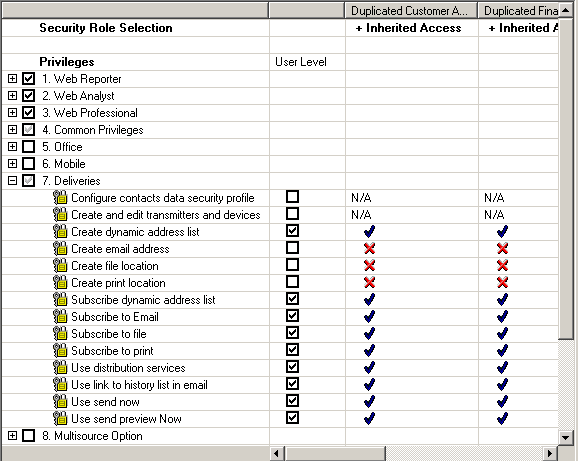
  • Give the user the following "Deliveries" privileges:
     
ka04W000000OggHQAS_0EM4400000029Zz.png
  • Log into Web as the user with the above privileges.
  • Go to preferences and set up a dynamic recipient list.
  • Select a report which will be used for the deliverable.
  • Create an email subscription on this report.
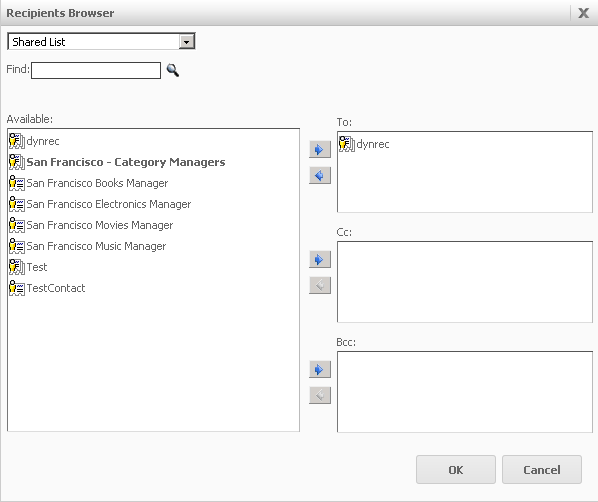
  • In the email subscription window, click "To" and add the dynamic recipient list created above as the only recipient.
  • Click OK. See the Image below for an example:
     
ka04W000000OggHQAS_0EM4400000029Zo.png
  • After clicking "OK", in the "To" section, notice how the "OK" does not appear in the email subscription window, and the subscription cannot be saved/created.
     
ka04W000000OggHQAS_0EM4400000029a2.png

 
CAUSE:
 
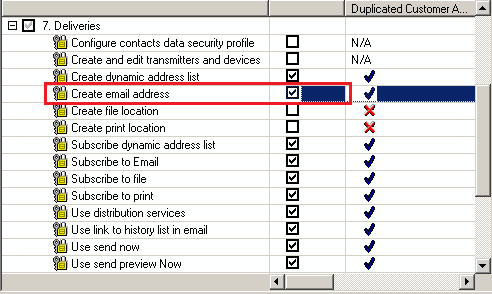
The user that is creating this subscription does not have the "Create Email Address" privilege. In order to subscribe dynamic recipient lists in Strategy 9.4.x - 10.x, this privilege is required.
 

ka04W000000OggHQAS_0EM4400000029a4.png

 
ACTION:
 
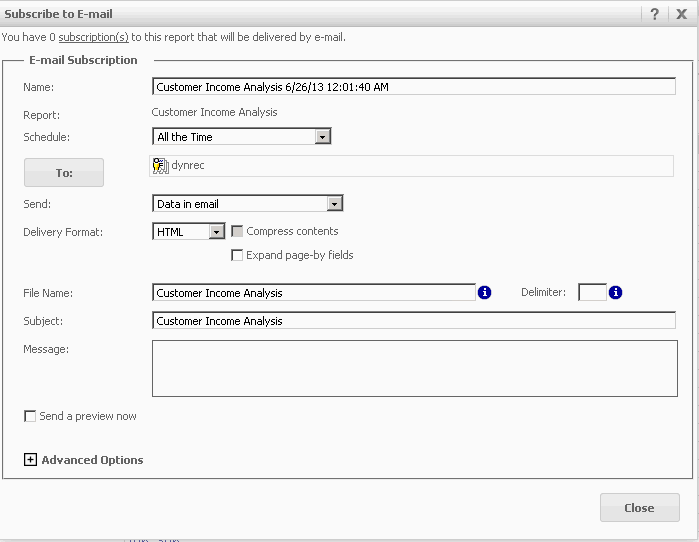
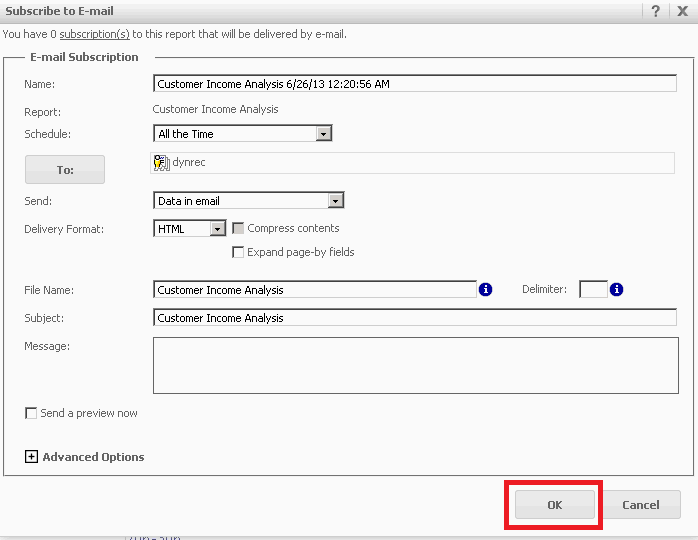
Provide the user with the "Create Email Address" privilege. Once the user has been provided this privilege, it is necessary to log back in to Strategy Web with this user in order for the privilege changes to take effect. Once logged back in, the "OK" button should now be present.
 

ka04W000000OggHQAS_0EM4400000029Zt.png


Comment

0 comments

Details

Knowledge Article

Published:

June 13, 2017

Last Updated:

June 13, 2017