Starting with the release of Strategy ONE (March 2024), dossiers are also known as dashboards.
SYMPTOM
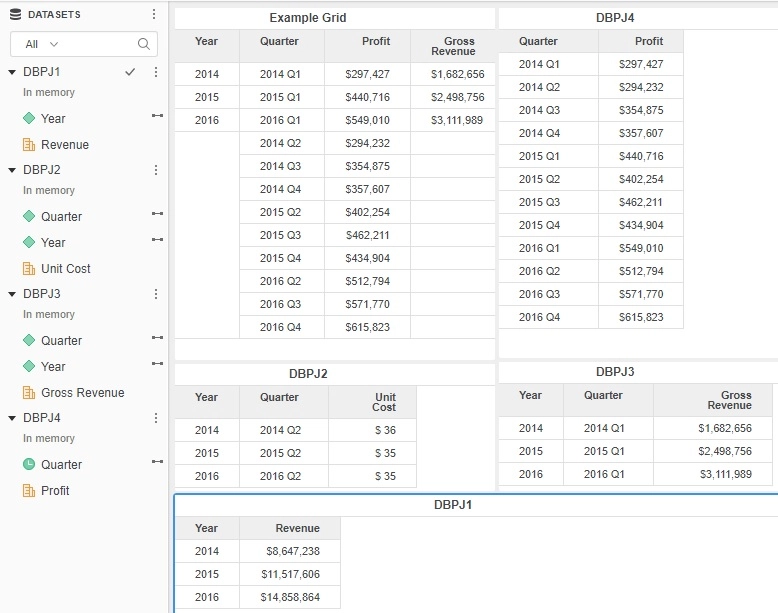
Incomplete joins between datasets can be seen with data blending when there are multiple dataset paths that can be used to join. In the example screenshot below two datasets are available to join between year and quarter (DBPJ2 and DBPJ3). They each contain different combinations. However as can be seen in the example grid only the quarters from DBPJ3 are shown under the elements of year while 2014 Q2 is not shown as belonging to the year 2014.
CAUSE
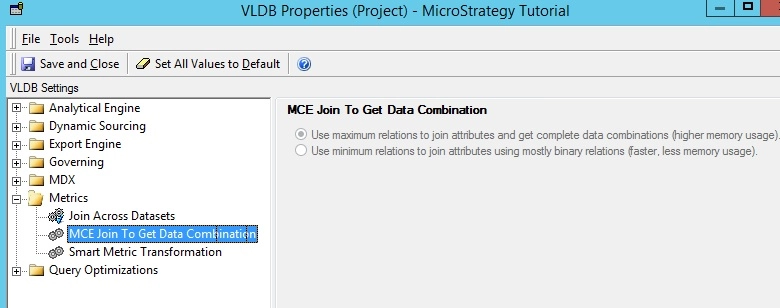
This occurs when the VLDB property "MCE Join to get Data combination" is set to the use minimum relations setting. This is not the default setting but can commonly be used to reduce memory usage in an environment. This setting tells the product to use the minimum amount of information needed to join datasets together. In this case because the example grid contains gross revenue from DBPJ3 which already has quarter and year it will not invoke or use the dataset DBPJ2. This helps save alot of memory in some use cases.
ACTION
At either the project level or the Dashboard/Dossier level change the setting to use maximum relation. This tells the product to use all the data it has access to that may be valid. In this case that means always including all of the possible datasets which can join between quarter and year. With the setting set to use maximum relations the behavior below is seen.
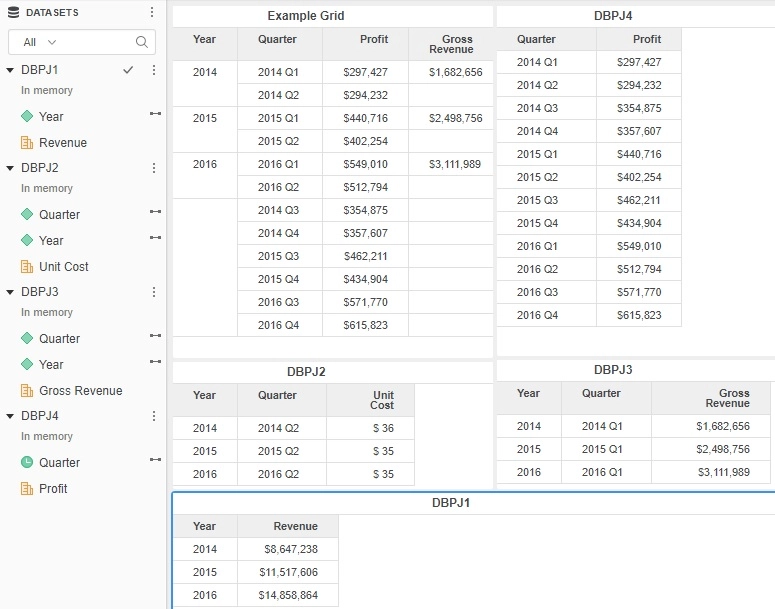
Now as can be seen both the combinations of quarters from DBPJ2 and DBPJ3 are joined to year appropriately per their mappings. 2014 Q3 and Q4 however are still not shown under 2014 but this is expected as no dataset provides that relationship on the dasbhoard. KB439249
