EducationSoftwareStrategy.com
StrategyCommunity

Knowledge Base

Product

Community

Knowledge Base

TopicsBrowse ArticlesDeveloper Zone

Product

Download SoftwareProduct DocumentationSecurity Hub

Education

Tutorial VideosSolution GalleryEducation courses

Community

GuidelinesGrandmastersEvents
x_social-icon_white.svglinkedin_social-icon_white.svg
Strategy logoCommunity

© Strategy Inc. All Rights Reserved.

LegalTerms of UsePrivacy Policy
  1. Home
  2. Topics

KB439278: Error message appears in ODBC Data Source Administrator when the DSN longer than 32 characters is created in Connectivity Wizard


Lisha Ma

Senior Cloud Support Engineer III • MicroStrategy


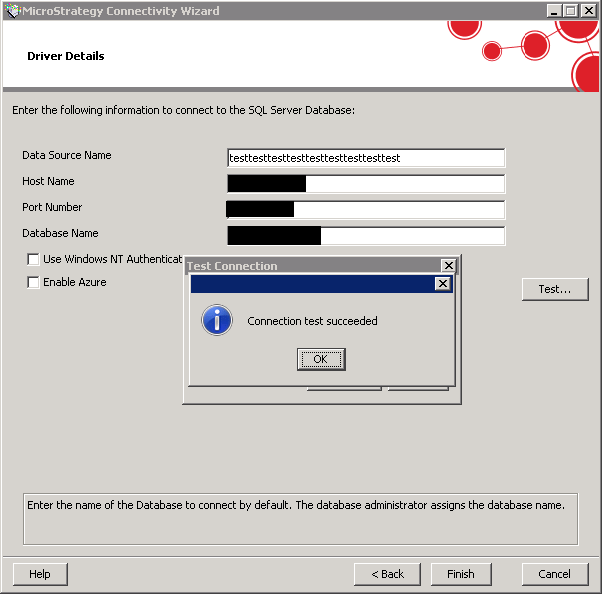
It is allowed to create a 64-bit DNS which has a name longer than 32 characters in Connectivity Wizard, while it is forbidden in ODBC Adminisrator, which cause this issue.

SYMPTOM:
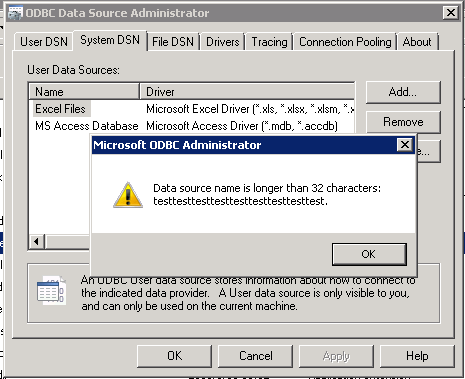
When a 64-bit DNS which has a name longer than 32 characters in Connectivity Wizard,  error message 'Data Source is longer than 32 characters: xxxxxxxxxxxxxxxxxxx' appears when ODBC Data Source Administrator is open. Other DSNs cannot not be modified in ODBC administrator, because when users try to edit other DSN, the same error pops up. 
ka02R000000kbBZQAY_0EM44000000QCUq.png
ka02R000000kbBZQAY_0EM44000000QCUv.png


Data Source is longer than 32 characters: xxxxxxxxxxxxxxxxxxx

 
CAUSE:
The connectivity wizard allows for the creation of 64-bit DSNs longer than 32 characters, while ODBC administrator does not.


Comment

0 comments

Details

Knowledge Article

Published:

January 22, 2018

Last Updated:

January 22, 2018