SUMMARY
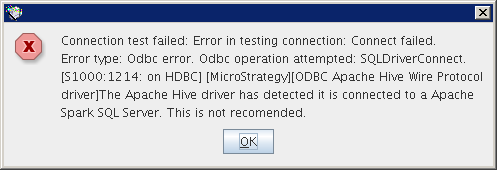
„The Apache Hive driver has detected it is connected to Apache Spark SQL Server. This is not recommended” error message is displayed while connecting to Spark SQL database in 10.4 GA running in Unix platforms
SOLUTION
Beginning in 10.4, Strategy introduced a new driver specifically for use with Spark SQL. One can create a DSN by adding the relevant section to odbc.ini file (like with any external DSN).
Create a DSN using the following information:
[Spark SQL]
Driver=<ODBCLIBPATH>/MYsparkXX.so
Description=Strategy ODBC Driver for Apache Spark SQL
ApplicationUsingThreads=1
ArraySize=16384
AuthenticationMethod=0
CryptoProtocolVersion=
CryptoLibName=
Database=
DefaultLongDataBuffLen=1024
EnableDescribeParam=1
EncryptionMethod=
GSSClient=
HostName=
HostNameInCertificate=
IANAAppCodePage=
KeepAlive=0
KeyPassword=
Keystore=
KeystorePassword=
LoginTimeout=15
LogonID=
MaxStringSize=4000
MinLongVarcharSize=
PortNumber=10000
PRNGSeedFile=
PRNGSeedSource=
ProxyUser=
RemoveColumnQualifiers=0
ServicePrincipalName=
SSLLibName=
StringDescribeType=12
TransactionMode=0
Truststore=
TruststorePassword=
UseCurrentSchema=0
UseNativeCatalogFunctions=1
ValidateServerCertificate=
VarcharThreshold=
<ODBCLIBPATH> stands for /[Strategy_home_folder]/install/lib/
39365 KB439365
