Starting with the release of Strategy ONE (March 2024), dossiers are also known as dashboards.
With Library, your Strategy dossiers or documents can now have cover pages.
There are 4 key things to keep in mind when using and designing cover pages:
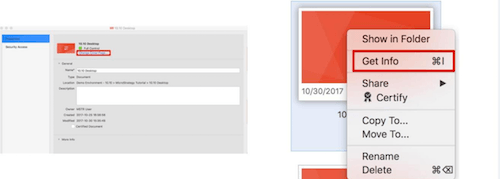
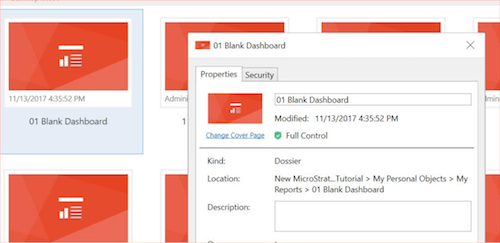
Although it's very easy to set up a cover page for a Dossier, it is hidden for Report Services Documents. For Dossiers, just click on the Cover Page icon from the Table of Contents in Authoring mode. With Report Services Documents, you'll need to use Workstation.
To update the cover pages for Report Services Documents:
Note: You can also set-up Cover Pages by using APIs.
When creating a library of many dossiers, and each dossier having a specific cover page, the browser has to load all images at once. If every image is 2MB, and you have 50 dossiers, that's 100MB of cover pages to load. This would take quite some time, and have a CPU / RAM impact on your computer and browser. My personal recommendation is to have: < 200KB per cover page.
In terms of dimensions, 360px width should be enough for a timely display.
If you are only using Library on Web, this section may be irrelevant to your work. If you are using Library on Web, Mobile, and/or Desktop, then you should know that cover pages do not display properly on all interfaces if using a relative path (ex: ./images/coverpages/my_cover_page.png).
The way to ensure cover pages work on all interfaces is to user absolute path:
(ex: https://tutorial.Strategy.com/MicroStrategy/images/coverpages/my_cover_page.png)
The downside using the absolute path is that it doesn't really support having multiple environments or doing parallel upgrades.
Fortunately, APIs can help you mass update your cover pages per environment.
As described above, cover pages can be updated through Library REST APIs.
Here is a sample PHP code showing the philosophy of interacting with a Dossier's cover page through APIs.
Interested in learning more about Library? Visit the Learning Center on Community!
Feel free to visit the Developer Zone for more on using Library REST APIs.
