SYMPTOM
When applying ISO codes for country shapes some users may experience that the shapes do not render at all in Strategy Mobile although it is found to be functional in Strategy Web.
STEPS TO REPRODUCE
(C:\Program Files (x86)\MicroStrategy\Web ASPx\WEB-INF\xml\config)

2.Configure the Mobile esriconfig.xml file to use the ISO Country Code (Change ‘Country’ to ‘ISO’)
C:\Program Files (x86)\MicroStrategy\Mobile Server ASPx\WEB-INF\xml\config

3.Restart web service.
4.Import data with Country ISO codes to use in dataset.
5.Create a RS document using the imported data and with Components as below:Grid :

Widget:
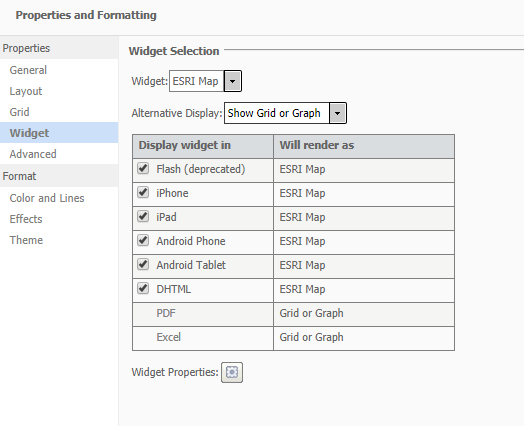
Widget settings

6.Run document on Web and the result is as follows:Countries are highlighted in blue based on the value and the ISO Code. Eg Canada – CA below.

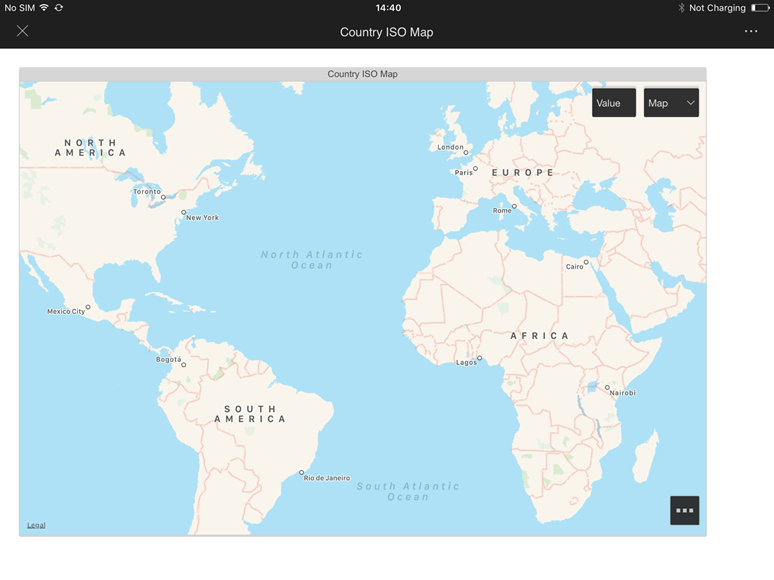
7.Configure a mobile configuration for iPAD using standard settings and run the document on an iPAD. Result below does not show can areas of the countries which have values.
ACTION
This issue has been addressed in 10.11 on platform app on library app. Upgrade to this version to take advantage of this fix.
KB439584
