EducationSoftwareStrategy.com
StrategyCommunity

Knowledge Base

Product

Community

Knowledge Base

TopicsBrowse ArticlesDeveloper Zone

Product

Download SoftwareProduct DocumentationSecurity Hub

Education

Tutorial VideosSolution GalleryEducation courses

Community

GuidelinesGrandmastersEvents
x_social-icon_white.svglinkedin_social-icon_white.svg
Strategy logoCommunity

© Strategy Inc. All Rights Reserved.

LegalTerms of UsePrivacy Policy
  1. Home
  2. Topics

KB439601: How to reference a file hosted on the Web Server in MicroStrategy Web


Monica Gallegos Salazar

Principal Product Specialist • MicroStrategy


This article explains why the "Is hyperlink" option is needed when you want to refer to a file hosted on the Web Server in MicroStrategy Web 9.4.1 and above.

To reference a file hosted on the Web Server, use the "Is Hyperlink" option under Properties and Formatting, using the following steps:
  • Place a PDF file or image on the Web Server (in this example, the file was placed in C:\Inetpub\wwwroot\test.pdf)
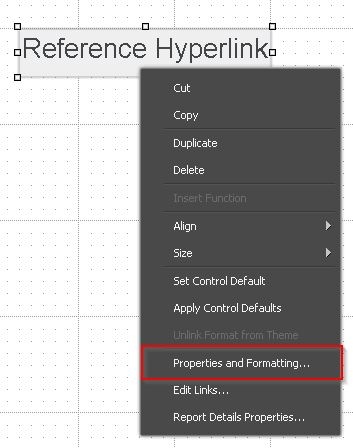
  • Add a text box, right click on it and choose Properties and Formatting:
ka0PW00000013IPYAY_0EM44000000YQnI.jpeg
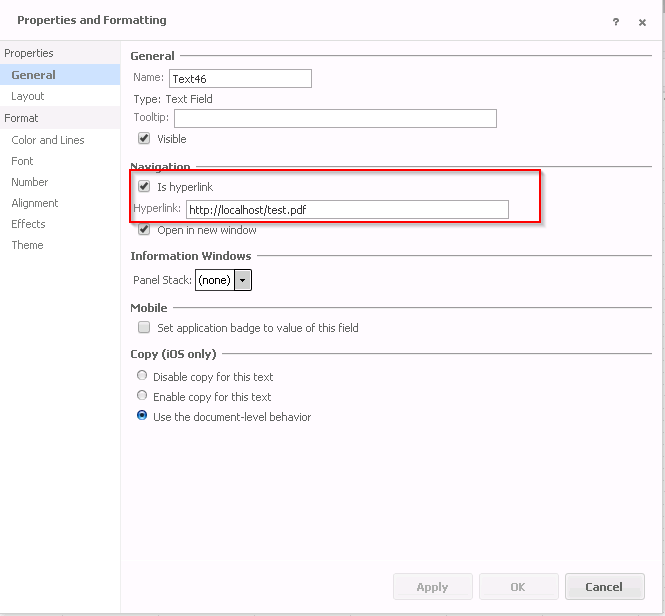
  • Under Properties - General - Hyperlink, add the link (in this case: http://localhost/test.pdf)


ka0PW00000013IPYAY_0EM44000000YQnS.png
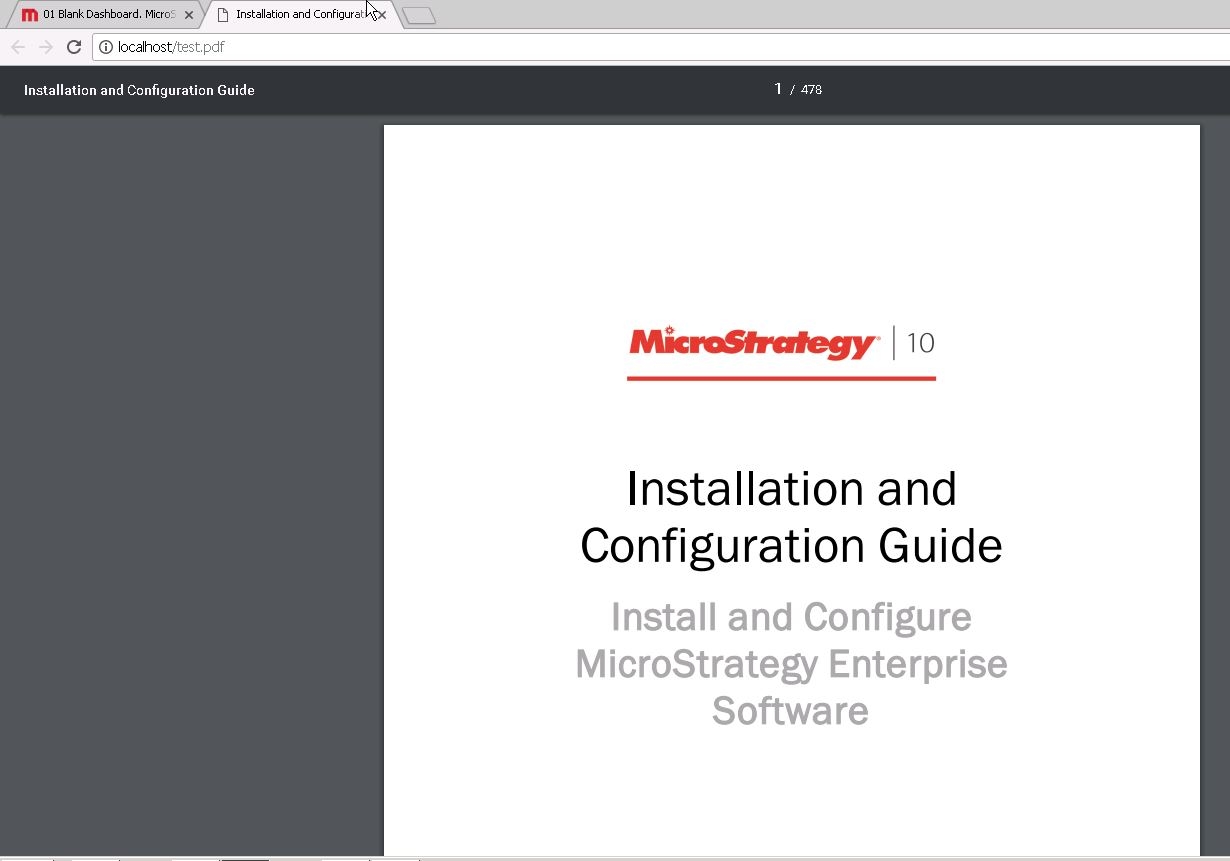
  • Run the document in Presentation mode, and click on the text box, notice that the link will successfully open the PDF file:


ka0PW00000013IPYAY_0EM44000000YQnc.jpeg

 
Note:
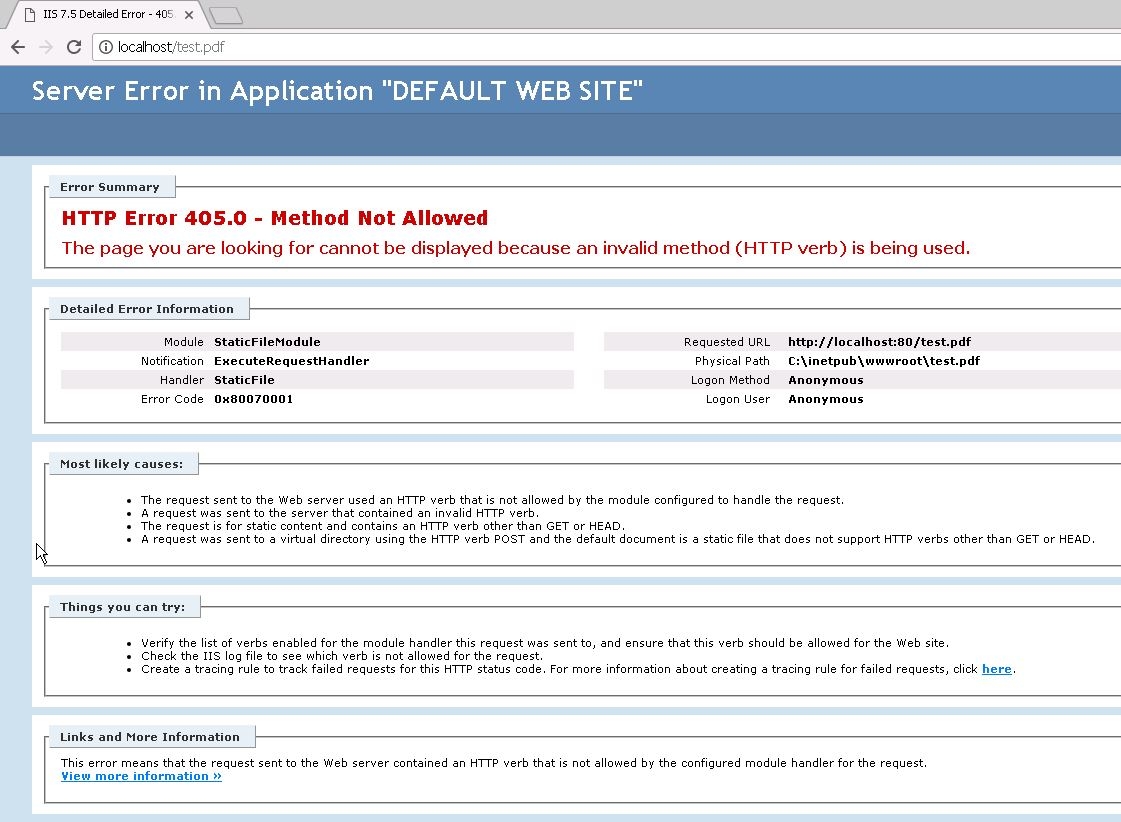
If the file hosted on the Web Server is referred using the Edit links functionality, the below error can occur:
 

ka0PW00000013IPYAY_0EM44000000YQnh.jpeg


405.0 Method Not Allowed
The page you are looking for cannot be displayed because an invalid method (HTTP verb) is being used.

 
This happens since the dynamic server and project names ({&SERVERNAME} {&PROJECT}), do not get resolved if the link is created using the “Edit links” option, which is why the “Is hyperlink” option needs to be used for these cases.
KB439601


Comment

0 comments

Details

Knowledge Article

Published:

February 6, 2018

Last Updated:

March 4, 2024