General documentation on the REST API can be found here.
The REST APIs are a new set of APIs that allow 3rd party applications to tap into many powerful features of the Strategy Analytics platform. This example shows how to invoke the REST API call to generate an Auth Token, retrieve the projects, and logout in a native iOS app using Swift. The Auth Token provides authentication to use other REST API calls. The REST API can be leveraged by any application or language capable of making an HTTP Request. This example is to help those looking to leverage these various APIs within an iOS application.
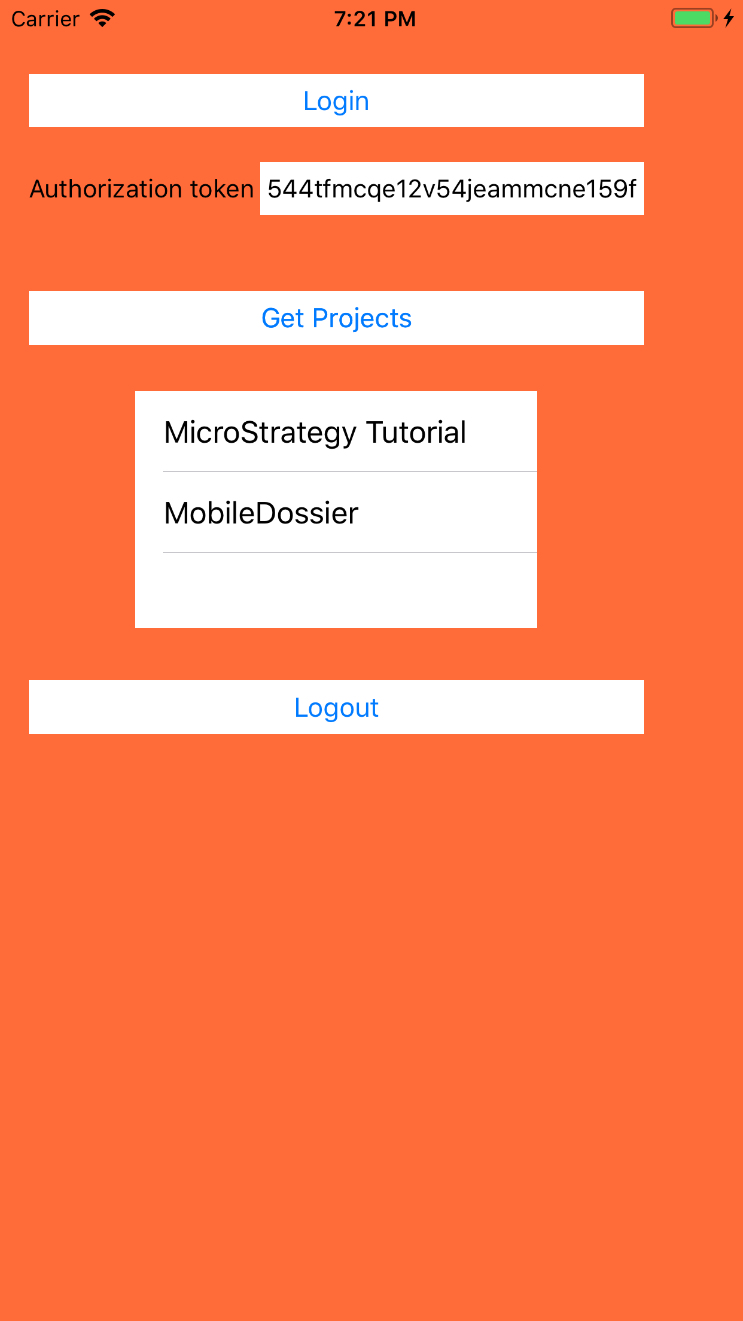
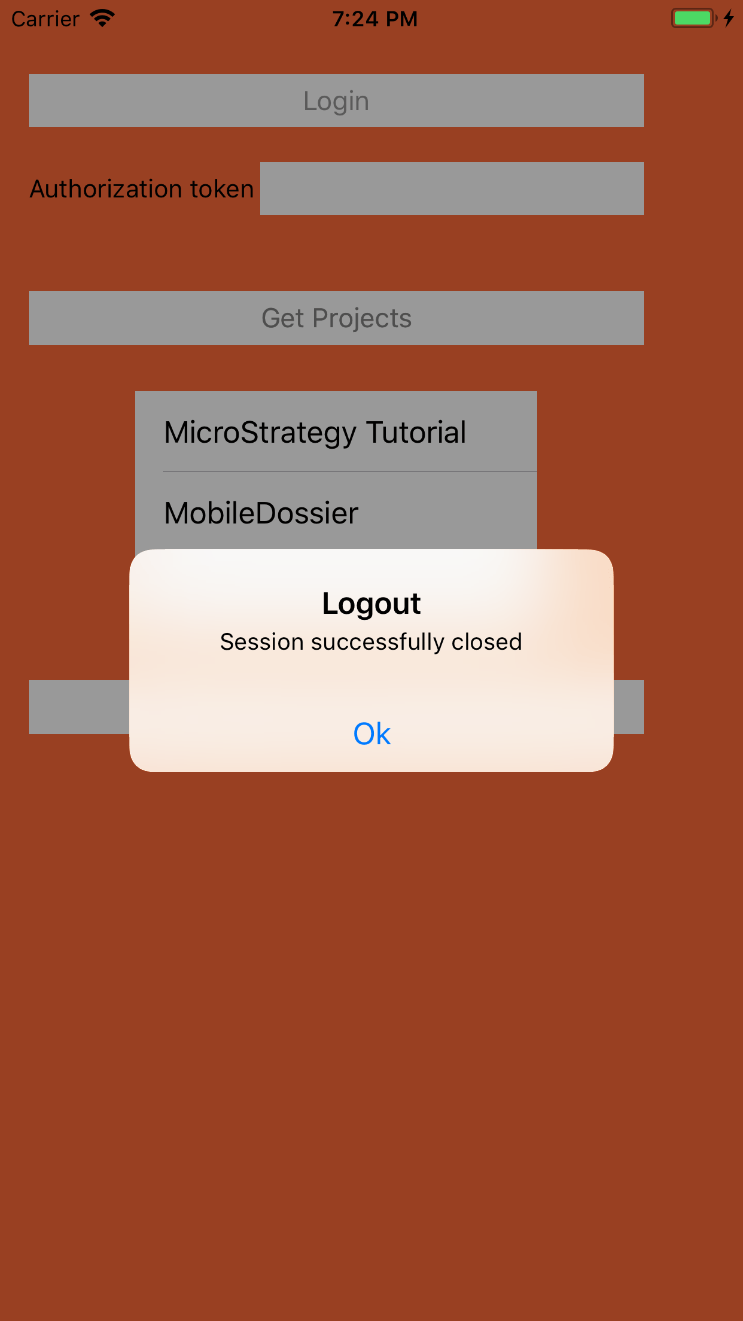
Creating an Auth Token (Javascript Sample) on 10.9
To invoke this code against your own environment, change the baseURL variable in the ViewController.swift class. This sample assumes standard authentication.
//
//  ViewController.swift
//  MSTRRestAPI
//
//  Created by Ahmed Osman on 02/05/18.
//

import UIKit

private var authtoken = ""
private var status = ""
private var baseURL = "https://demo.Strategy.com/StrategyLibrary"

struct ProjectsStruct: Decodable {
    //let alias: String?
    //let description: String?
    //let id: String?
    let name: String?
    //let status: String?

}

class ViewController: UIViewController, UITableViewDelegate, UITableViewDataSource{

    var projects = [ProjectsStruct]()

    override func viewDidLoad() {
        super.viewDidLoad()

        self.projectsList.register(UITableViewCell.self, forCellReuseIdentifier: "project")
    }

    @IBOutlet var authTokenLabel: UILabel!

    @IBOutlet var projectsList: UITableView!

    func tableView(_ tableView: UITableView, numberOfRowsInSection section: Int) -> Int {
        return projects.count

    }

    func tableView(_ tableView: UITableView, cellForRowAt indexPath: IndexPath) -> UITableViewCell{
        let cell = UITableViewCell(style: .default, reuseIdentifier: nil)
        cell.textLabel?.text = projects[indexPath.row].name
        return cell
    }


    // Clicking on Login button fires a POST request
    @IBAction func onPostTapped(_ sender: Any) {

        let login = baseURL + "/api/auth/login"
        let parameters = ["username": "guest", "password": ""]

        guard let url = URL(string: login) else { return }
        var request = URLRequest(url: url)
        request.httpMethod = "POST"
        request.addValue("application/json", forHTTPHeaderField: "Content-Type")
        guard let httpBody = try? JSONSerialization.data(withJSONObject: parameters, options: []) else { return }
        request.httpBody = httpBody

        let session = URLSession.shared
        session.dataTask(with: request) { (data, response, error) in
            if let response = response {
                if let httpResponse = response as? HTTPURLResponse {
                    // Get the x-mstr-authtoken from the response header
                    authtoken = httpResponse.allHeaderFields["x-mstr-authtoken"] as! String

                    // Print to xcode console
                    print(httpResponse.statusCode)

                    // Print to xcode console
                    print("x-mstr-authtoken: " + authtoken)

                    // Update Textfield. Must update UI on main thread
                    DispatchQueue.main.async {
                        self.authTokenLabel.text = authtoken
                    }
                }
            }

        }.resume()
    }

    // Clicking on Get Projects button fires a GET request.
    // TableView is then updated with the results
    @IBAction func onGetTapped(_ sender: Any) {
        let getProjects = baseURL + "/api/projects"
        guard let url = URL(string: getProjects) else { return }
        var request = URLRequest(url: url)
        request.addValue(authtoken, forHTTPHeaderField: "X-MSTR-AuthToken")

        let session = URLSession.shared
        session.dataTask(with: request) { (data, response, error) in

            if let data = data {
                do {
                    let json = try JSONSerialization.jsonObject(with: data, options: .allowFragments)
                    print(json)
                    // Decoding the json response body (data) to get the projects name
                    self.projects = try JSONDecoder().decode([ProjectsStruct].self, from: data)

                    // Print to Xcode console
                    print("name: " + self.projects[0].name!)
                    print("name: " + self.projects[1].name!)

                    // Update TableView. Must update UI on main thread
                    DispatchQueue.main.async {
                        self.projectsList.reloadData()
                    }
                } catch {
                    print(error)
                }
            }
            }.resume()
    }

    // Button click Action to logout
    @IBAction func logOut(_ sender: Any) {

        let refreshAlert = UIAlertController(title: "Logout", message: "Session successfully closed", preferredStyle: UIAlertControllerStyle.alert)

        refreshAlert.addAction(UIAlertAction(title: "Ok", style: .default, handler: { (action: UIAlertAction!) in
            print("Handle Ok logic here")
        }))

        let noSessionAlert = UIAlertController(title: "No Session", message: "Need to have a session first!", preferredStyle: UIAlertControllerStyle.alert)

        noSessionAlert.addAction(UIAlertAction(title: "Ok", style: .default, handler: { (action: UIAlertAction!) in
            print("Handle Ok logic here")
        }))


        if(authtoken.isEmpty)
        {
            self.present(noSessionAlert, animated: true, completion: nil)

        }else{
            let logout = baseURL + "/api/auth/logout"

            guard let url = URL(string: logout) else { return }
            var request = URLRequest(url: url)
            request.httpMethod = "POST"
            //request.addValue("application/json", forHTTPHeaderField: "Content-Type")

            request.addValue(authtoken, forHTTPHeaderField: "X-MSTR-AuthToken")

            let session = URLSession.shared

            session.dataTask(with: request) { (data, response, error) in
                if let response = response {
                    if let httpResponse = response as? HTTPURLResponse {

                        // Get the status from the response header
                        status = String(httpResponse.statusCode)

                        // Update Textfield. Must update UI on main thread
                        if (status == "204")
                        {
                            // Print to xcode console
                            print("status: " + status + ". Session successfully closed" )
                            DispatchQueue.main.async {
                                self.authTokenLabel.text = ""
                            }
                            self.present(refreshAlert, animated: true, completion: nil)
                        }

                    }
                }

                }.resume()

        }


    }


}