SYMPTOM:
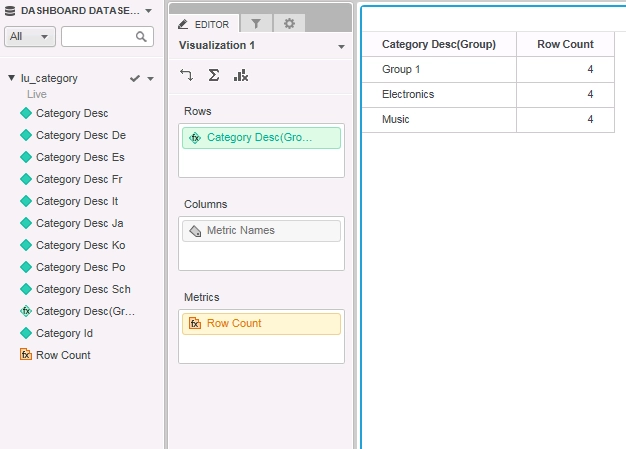
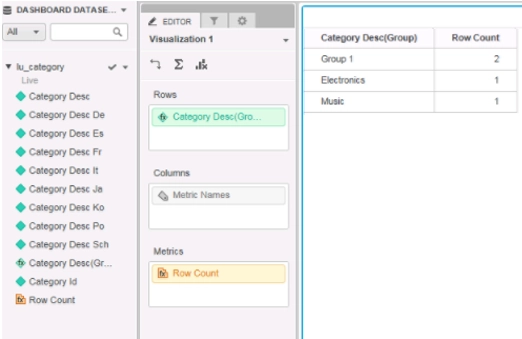
Dashboards in Strategy 10.6 or earlier appear to aggregate the Row Count metric incorrectly when using Attribute Groups and Live Connect.
STEPS TO REPRODUCE:
1) Create a new dashboard and add external dataset.
2) Choose "Database" and select the 3rd option to "Pick tables".
3) Select the LU_CATEGORY table from the Tutorial database instance and then select "Connect Live".
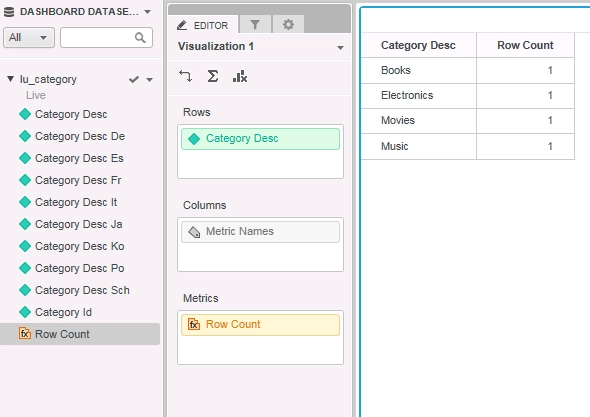
4) Add "Category" to the rows and "Row count" to metrics.
5) Notice that the row count for each is 1 (this is correct).
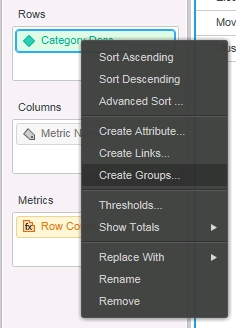
6) Right click on Category desc and select "create groups".
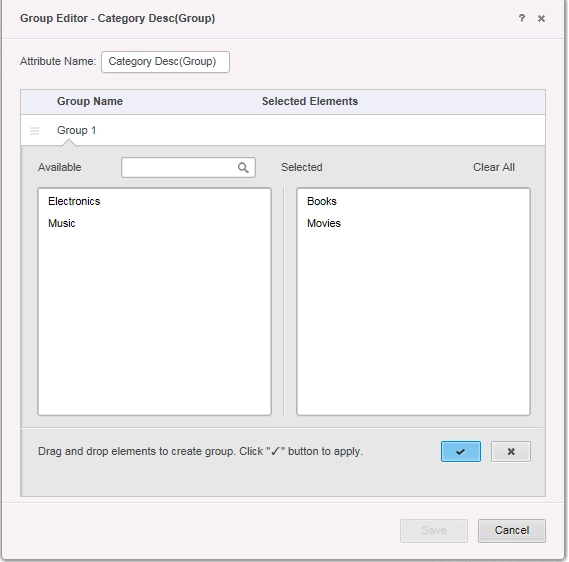
7) Drag Books and Movies to the right and save.
8) Notice that the row count for each is 4.
CAUSE:
This is a known issue in Strategy 10.6 or earlier regarding aggregation of the Row Count metric when using Live Connect.
ACTION:
This defect has been fixed in Strategy 10.7.
If you are upgrading to Strategy 10.7 / 10.8 / 10.9 / 10.10 / 10.11, simply upgrade to these releases to pick up the defect fix.
If you are upgrading to Strategy 11.0 or above, to pick up the fix, enable project level setting "Data Engine Version" to 11. This property can only be enabled through Workstation. For more details on enabling the setting, refer to Change Data Engine Version.
The Row Count metric shows correct data after the defect fix.
WORKAROUND:
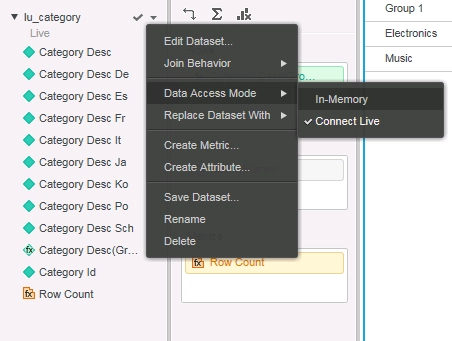
1) On the dataset click the drop down arrow and select---> Data access mode ---> in memory.
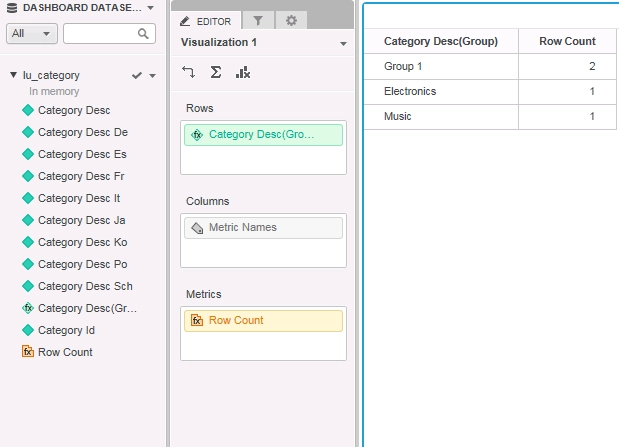
Now notice that the row count now reads correctly.
Strategy reference numbers for this technical note are KB439634 and DE39511.
