EducationSoftwareStrategy.com
StrategyCommunity

Knowledge Base

Product

Community

Knowledge Base

TopicsBrowse ArticlesDeveloper Zone

Product

Download SoftwareProduct DocumentationSecurity Hub

Education

Tutorial VideosSolution GalleryEducation courses

Community

GuidelinesGrandmastersEvents
x_social-icon_white.svglinkedin_social-icon_white.svg
Strategy logoCommunity

© Strategy Inc. All Rights Reserved.

LegalTerms of UsePrivacy Policy
  1. Home
  2. Topics

When attempting to add a dossier to MicroStrategy Library 10.9-10.10, the error: "The dossier contains a prompted dataset, which is not currently supported." is displayed


Mari Sugimura

Senior Cloud Support Engineer III • MicroStrategy


This article explains a limitation in MicroStrategy Library in which dossiers with prompts are not supported for MicroStrategy Library 10.9 and 10.10.

Starting with the release of Strategy ONE (March 2024), dossiers are also known as dashboards.
Troubleshooting
When attempting to add a dossier to Strategy Library 10.9-10.10, the error: "The dossier contains a prompted dataset, which is not currently supported." is displayed
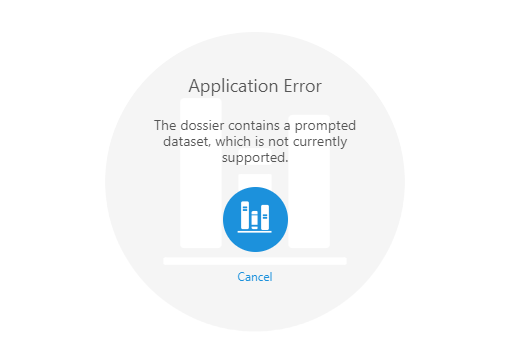
Within Strategy Library 10.9-10.10, some of our users have been experiencing an error message when attempting to add a dossier to library. The error message reads as, "The dossier contains a prompted dataset, which is not currently supported." See the following image to view the error message within Library:
ka0PW0000001JXCYA2_0EM44000000YRKl.png


Application Error 
The dossier contains a prompted dataset, which is not currently supported.

Steps to reproduce
Why is this happening?
At least one of the datasets used in the dossier or document contains a prompt, which is not supported with Strategy Library 10.9 and 10.10.
Status
ACKNOWLEDGED   IN-PROGRESS   SOLVED   (Version: 10.11+, Strategy 2019)
Next Steps
Starting with Strategy 10.11, dossiers and documents containing prompts can be added to Strategy Library. Until then, a possible workaround is to create a version of the dossier or document which is unprompted, moving the attributes and metrics on which you would have been prompted on to a filter. Users can then manipulate these after executing the dossier to see their desired view of data. Keep in mind that this would result in more data retrieved from executing the dossier and may have performance implications. 
This issue is solved with Strategy 2019. 
 
Have other questions? Feel free to start a discussion or reach out to your Support liaison to open a case!
 
Want to upgrade to Strategy 2019? Visit the Strategy website!


Comment

0 comments

Details

Knowledge Article

Published:

February 8, 2018

Last Updated:

March 21, 2024