EducationSoftwareStrategy.com
StrategyCommunity

Knowledge Base

Product

Community

Knowledge Base

TopicsBrowse ArticlesDeveloper Zone

Product

Download SoftwareProduct DocumentationSecurity Hub

Education

Tutorial VideosSolution GalleryEducation courses

Community

GuidelinesGrandmastersEvents
x_social-icon_white.svglinkedin_social-icon_white.svg
Strategy logoCommunity

© Strategy Inc. All Rights Reserved.

LegalTerms of UsePrivacy Policy
  1. Home
  2. Topics

KB439661: "Only an ET or null statement is legal after a DDL Statement" error appears when attempting to submit transaction against Teradata warehouse in System Default mode in MicroStrategy Web 10.3


Tianfeng (Jimmy) Jiang

Quality Engineer, Principal • MicroStrategy


This Knowledge Base article shows a known issue that "Only an ET or null statement is legal after a DDL Statement" error appears when attempting to submit transaction against Teradata warehouse in MicroStrategy Web 10.3. MicroStrategy will continue to investigate and post updates as soon as they are available.

SYMPTOM:
"Only an ET or null statement is legal after a DDL Statement" error appears when attempting to submit transaction against Teradata warehouse in System Default mode in Strategy Web 10.3. While, the Freeform SQL report with same SQL works fine.
STEPS TO REPRODUCE:
  • Create one Teradata database as Warehouse. The database user should have privileges to create and call procedures.
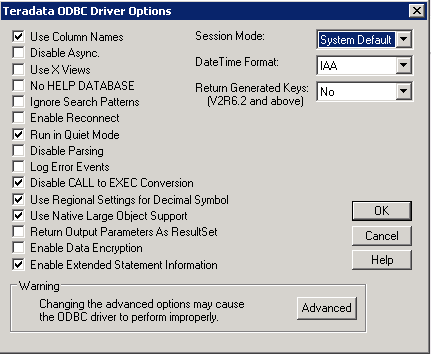
  • Create one DSN connecting to this Teradata database. Make sure the Session Mode is set to "System Default".
ka044000000kPqvAAE_0EM44000000YS95.png
  • Run the following SQL to create the procedure for test:
    
    CREATE TABLE testtable1 (testcolumn1 int);

    
    CREATE PROCEDURE Sample_p1 (IN in_value INTEGER)DYNAMIC RESULT SETS 1BEGININSERT INTO testtable1 values (in_value);BEGINDECLARE cur1 CURSOR WITH RETURN ONLY FORSELECT testcolumn1 from testtable1;OPEN cur1;END;END;
    

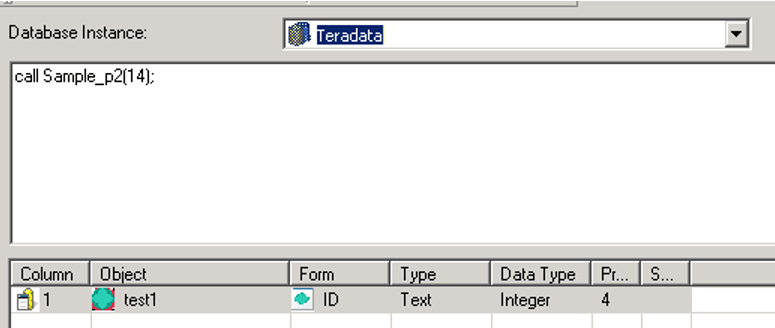
  • Create one Freeform SQL report with SQL statement below:
    
    call Sample_p1(14);


ka044000000kPqvAAE_0EM44000000YS7i.png
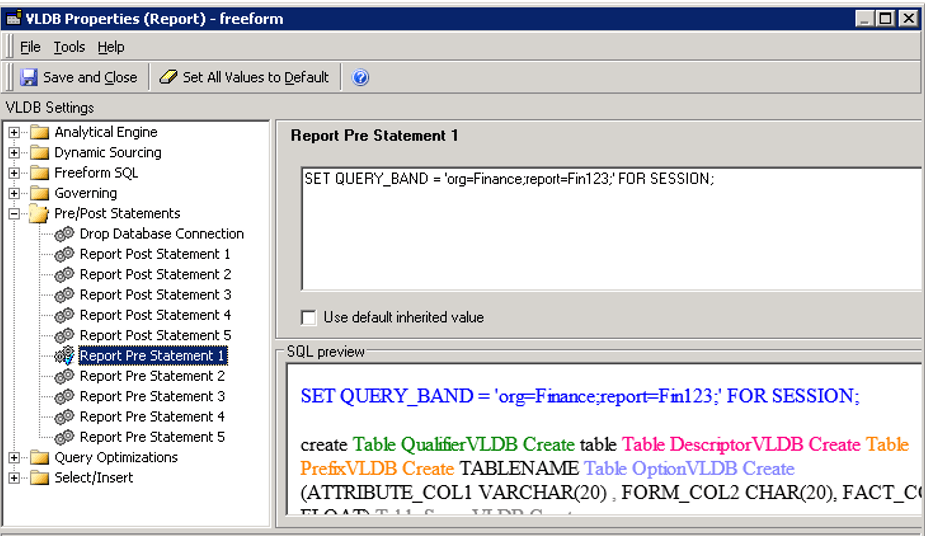
  • Add pre-report SQL below to this Freeform SQL report:
    
    SET QUERY_BAND = 'org=Finance;report=Fin123;' FOR SESSION;


ka044000000kPqvAAE_0EM44000000YS7n.png
  • Run this Freeform SQL report without any problem.
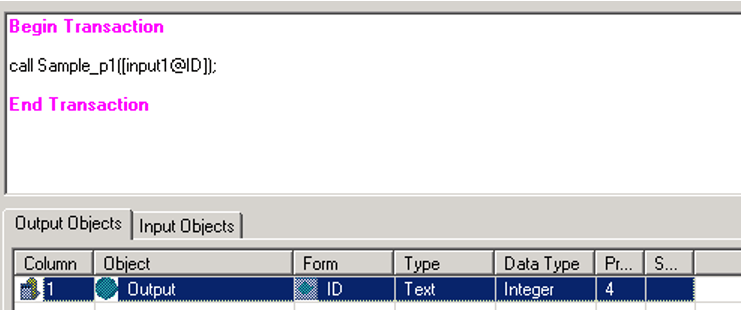
  • Create transaction report with SQL below:
    
    call Sample_p1 ([input1@ID]);


ka044000000kPqvAAE_0EM44000000YS7s.png
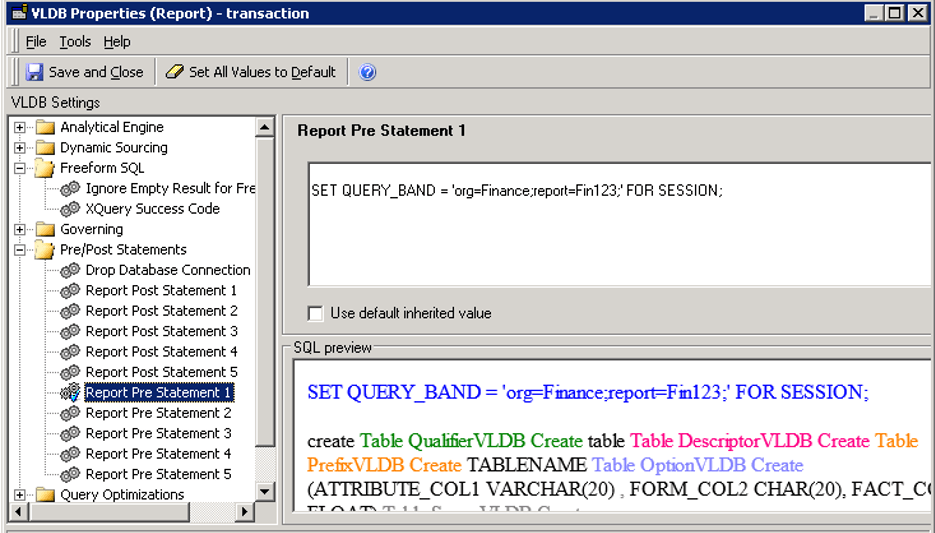
  • Add pre-report SQL below to this Freeform SQL report:
    
    SET QUERY_BAND = 'org=Finance;report=Fin123;' FOR SESSION;


ka044000000kPqvAAE_0EM44000000YS7x.png
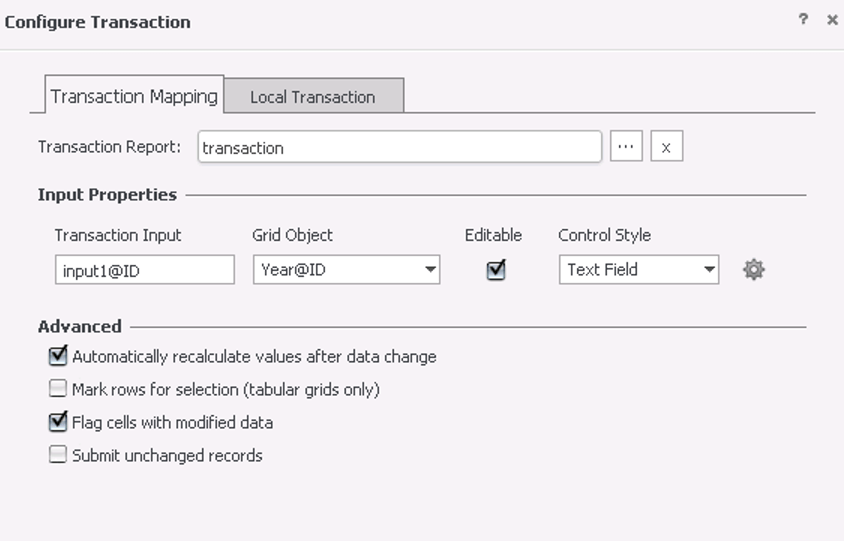
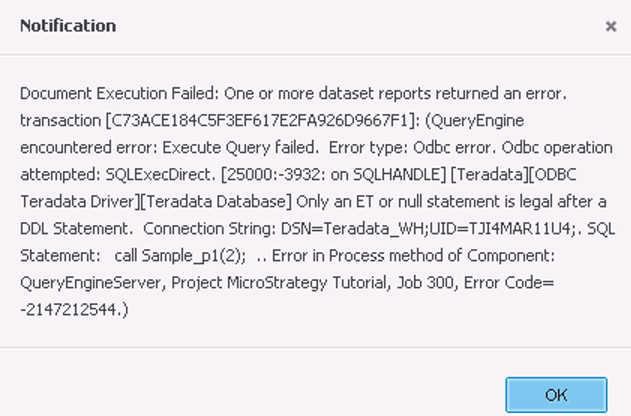
  • Create one transaction document with this transaction report. Submit the transaction and the following error pop up:
         
ka044000000kPqvAAE_0EM44000000YS87.png
ka044000000kPqvAAE_0EM44000000YS8C.png
ka044000000kPqvAAE_0EM44000000YS8H.png
  • 
    Only an ET or null statement is legal after a DDL Statement

CAUSE:
This is a known issue on transaction report in Strategy Web 10.3.
ACTION:
Strategy will continue to investigate and post updates as soon as they are available.
WORKAROUND:
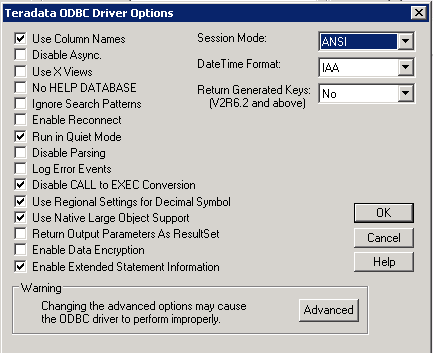
  • Change DSN session mode to "ANSI":
ka044000000kPqvAAE_0EM44000000YS9P.png
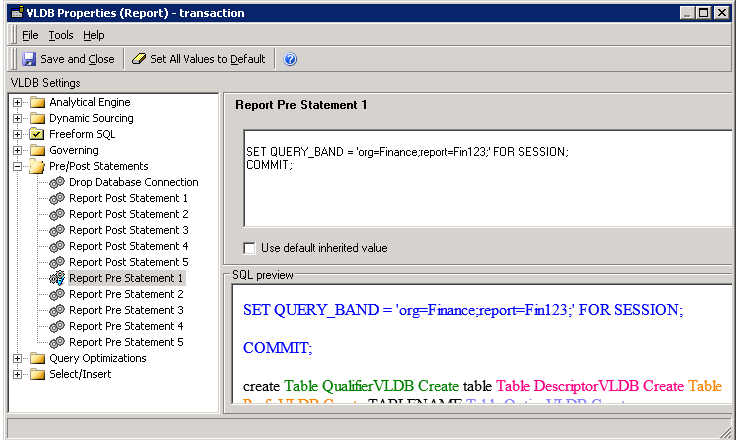
  • Add "COMMIT;" after "SET QUERY_BAND" as shown below:
ka044000000kPqvAAE_0EM44000000YS9Z.png
  • Create the procedure and execute the transaction document both in ANSI mode.

The internal reference number for this is DE87483 and KB439661


Comment

0 comments

Details

Knowledge Article

Published:

February 12, 2018

Last Updated:

December 24, 2018