EducationSoftwareStrategy.com
StrategyCommunity

Knowledge Base

Product

Community

Knowledge Base

TopicsBrowse ArticlesDeveloper Zone

Product

Download SoftwareProduct DocumentationSecurity Hub

Education

Tutorial VideosSolution GalleryEducation courses

Community

GuidelinesGrandmastersEvents
x_social-icon_white.svglinkedin_social-icon_white.svg
Strategy logoCommunity

© Strategy Inc. All Rights Reserved.

LegalTerms of UsePrivacy Policy
  1. Home
  2. Topics

KB439708: I received an email saying that my API Key has expired/been revoked. What does this mean and how can I fix it?


Community Admin

• Strategy


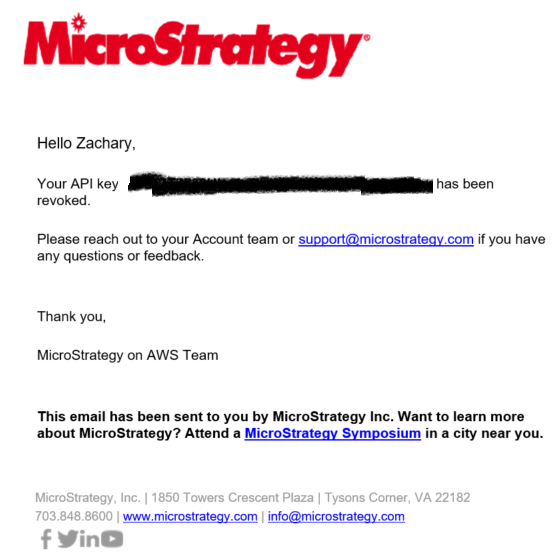
If you use Strategy on AWS, you may receive an email stating that your API Key has either expired or been revoked. There is some confusion as to what this is and/or how to get a new API Key. 
ka04W000000OfYmQAK_0EM44000000YT8S.png

In this case, the email was sent because someone manually revoked the API Key. You can manage your API Keys from the AWS provisioning portal as shown below

ka04W000000OfYmQAK_0EM44000000YT8X.png

Once you get to the API Key management page, you'll see a few options

ka04W000000OfYmQAK_0EM44000000YT8c.png

1. These allow you to copy or revoke the active API Keys
2. This button allows you to generate a new API Key
3. This is your list of active API Keys
4. This is a list of revoked API Keys
One more thing of note here is that each API key is active for 3 months from the day it's been generated. KB439708


Comment

0 comments

Details

Knowledge Article

Published:

February 15, 2018

Last Updated:

January 1, 2019