EducationSoftwareStrategy.com
StrategyCommunity

Knowledge Base

Product

Community

Knowledge Base

TopicsBrowse ArticlesDeveloper Zone

Product

Download SoftwareProduct DocumentationSecurity Hub

Education

Tutorial VideosSolution GalleryEducation courses

Community

GuidelinesGrandmastersEvents
x_social-icon_white.svglinkedin_social-icon_white.svg
Strategy logoCommunity

© Strategy Inc. All Rights Reserved.

LegalTerms of UsePrivacy Policy
  1. Home
  2. Topics

KB439729: Disabling the privilege “Web set column widths » does not work in the Microstrategy 10.4 and 10.7 version


Community Admin

• Strategy


There is an option to adjust the width of columns of grids in document in presentation mode in 10.4 (The privilege “Web set column widths » - modify the column widths and row height for a grid report). Users can drag the border with the mouse and adjust the size. Even if the user disable the privilege Web set column widths he still can change the grids columns.

SYMPTOM:
Disable the privilege “Web set column widths” in the Web professional privileges

ka04W000000ObArQAK_0EM44000000YTQW.jpeg

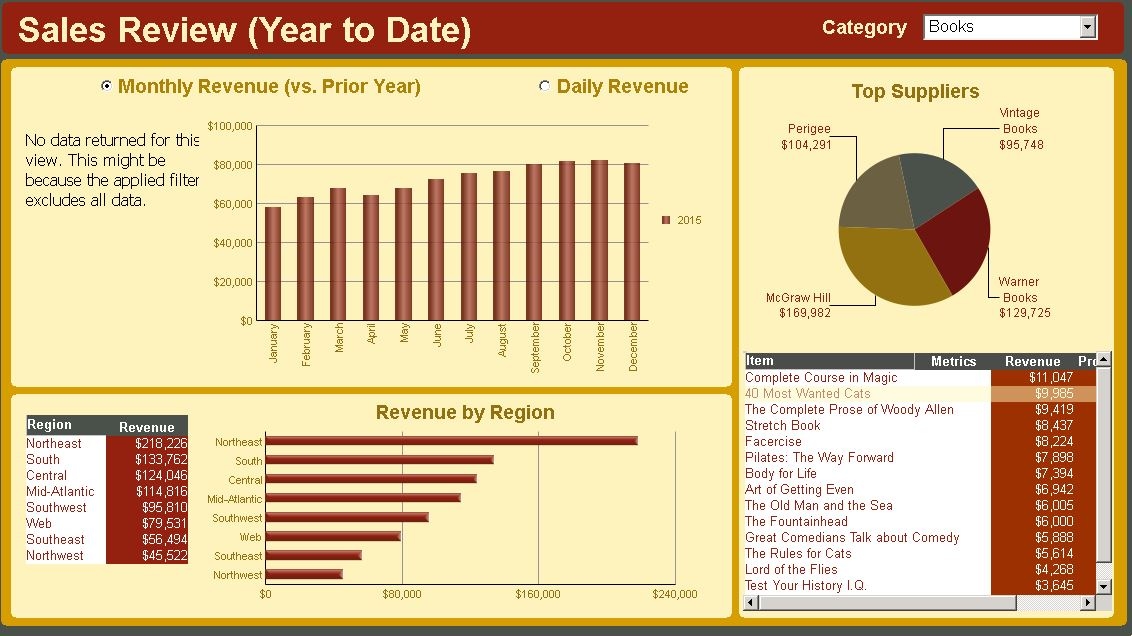
When viewing a document in Presentation Mode, the user can still resize columns by selecting and dragging columns borders
ka04W000000ObArQAK_0EM44000000YTQb.jpeg

CAUSE:
The cause of the issue is unknown. This issue can be reproduced in 10.4 and 10.7 but cannot be reproduced in 10.3.
The issue is fixed in 10.8
  KB439729


Comment

0 comments

Details

Knowledge Article

Published:

February 20, 2018

Last Updated:

December 31, 2018