Starting with the release of Strategy ONE (March 2024), dossiers are also known as dashboards.
Troubleshooting
Error "Login Failed" Occurs When Trying to Connect to A New Environment in Strategy Workstation 10.10
Strategy Workstation puts the full capabilities of your Strategy environment just a couple of clicks away. You can access existing projects, applications, data imports, and metadata—as well as collaborate and share dossier and documents with colleagues—by connecting Workstation to an environment. You have the option to connect to an on premises environment or a cloud environment using Strategy on AWS. This article explains an error when trying to connect to your Strategy Library environment.
Users encounter the error message "Login Failed" as shown in the following screenshot:
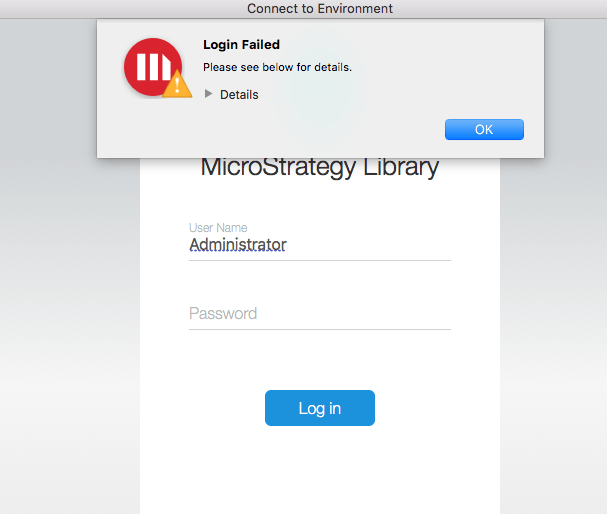
Steps to reproduce
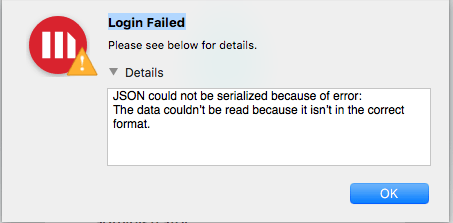
The full error will read as the following:
JSON could not be serialized because of error:
The data couldn’t be read because it isn’t in the correct format.
Why is this happening?
This error occurs when a wrong Strategy Library URL is used. In this particular instance,
http://servername:portnumber/MicroStrategyLibrary/app was used.
Notice there is an "app" at the end of this URL. Move on to the next steps.
Status
ACKNOWLEDGED IN-PROGRESS SOLVED (Version: Strategy 10.10+)
Next Steps
Users should not use "app" in the URL as all the REST API's are at /StrategyLibrary and not in StrategyLibrary/app.
For example, the above URL should change to:
http://servername:portnumber/MicroStrategyLibrary/
Have other questions? Feel free to start a discussion or reach out to your Support liaison to open a case!
Want to upgrade to Strategy 2019? Visit the Strategy website!
