SYMPTOM
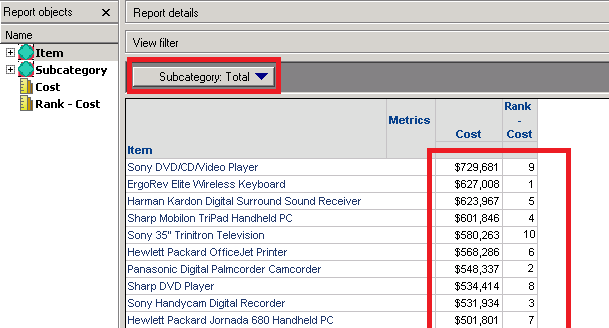
Rank metric doesn't sort items correctly when Total is selected in a Page By attribute in Strategy 10.x:
CAUSE
Subtotal to Rank is not configured properly for the metric used in the report.
ACTION
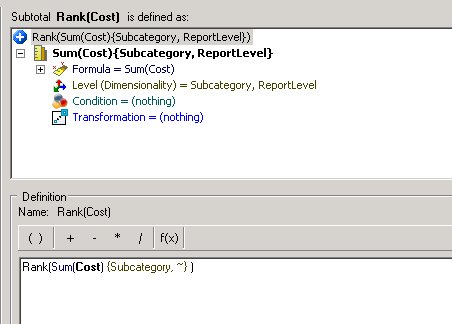
1. Create a Subtotal to Rank on the metric:
- Navigate to Project Objects > Subtotals
- Create a new Subtotal with the following formula:
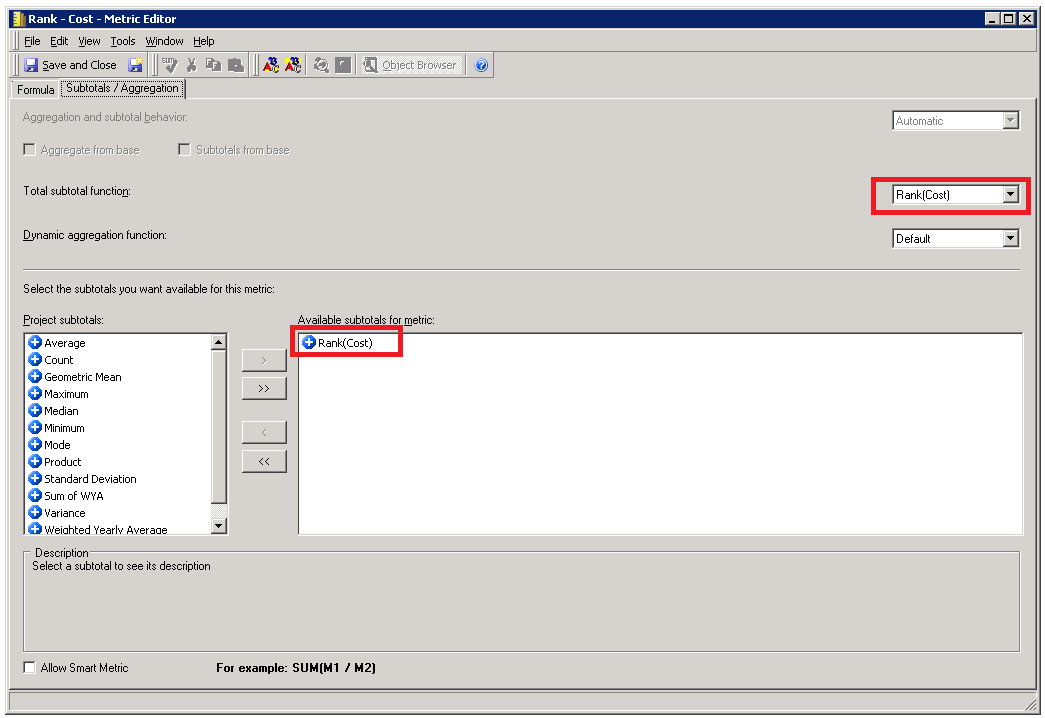
2. In the Rank metric properties, select Subtotals / Aggregation tab, then select the subtotal created in the previous step from Project subtotals and select Rank(<METRIC NAME>) in Total subtotal function:
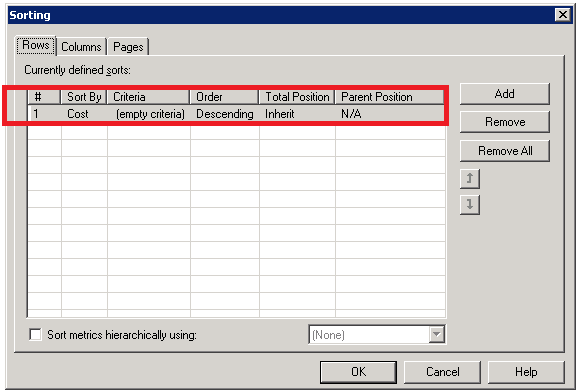
3. Edit the report, navigate to Data > Advanced Sorting and add a sort for Rows to sort by the metric:
4. Save changes.
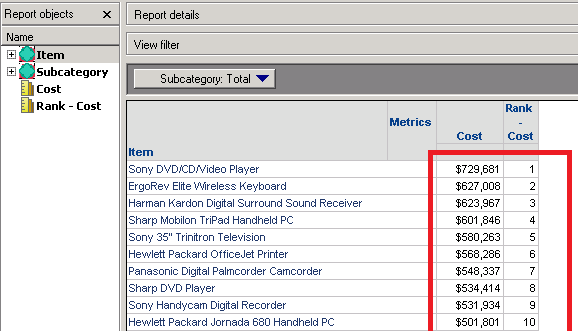
5. Execute the report. Now the Rank metric should work as expected:
WORKAROUND
In Strategy Web, use Break By as @p, this is Dynamic Dimensionality that denotes current Page-By Slice.
Example: Rank<ASC=False, BreakBy={@p}>(Cost)
NOTE: This workaround won't work in case Report Limit is implemented into the reports. Also, it doesn't work for standard (not derived) metrics.
KB439844
