EducationSoftwareStrategy.com
StrategyCommunity

Knowledge Base

Product

Community

Knowledge Base

TopicsBrowse ArticlesDeveloper Zone

Product

Download SoftwareProduct DocumentationSecurity Hub

Education

Tutorial VideosSolution GalleryEducation courses

Community

GuidelinesGrandmastersEvents
x_social-icon_white.svglinkedin_social-icon_white.svg
Strategy logoCommunity

© Strategy Inc. All Rights Reserved.

LegalTerms of UsePrivacy Policy
  1. Home
  2. Topics

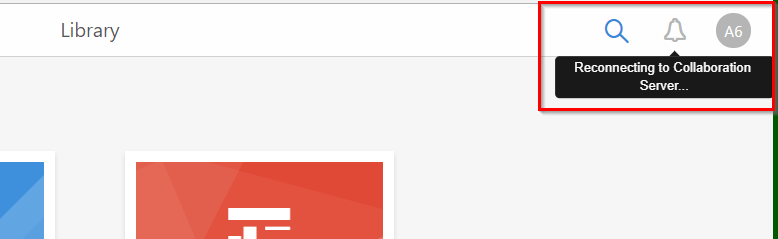
In MicroStrategy Library 10.9, the Notification button is greyed out and displays “Reconnecting to Collaboration Server…”


Community Admin

• Strategy


This knowledge base article addresses an issue where users are not able to click the Notifications button in Library due to a loss in connection to the Collaboration Server.

Description

With Strategy Library version 10.9 and newer, the notification bell icon is greyed out.
Alongside the greyed out option, the notification bell displays the following message when the user hovers over it:


“Reconnecting to Collaboration Server”
ka04W00000147tcQAA_0EM44000000YWnd.png


Why is this happening?

This issue is seen when Library is not able to establish a connection to the Collaboration Server.
 

Solution

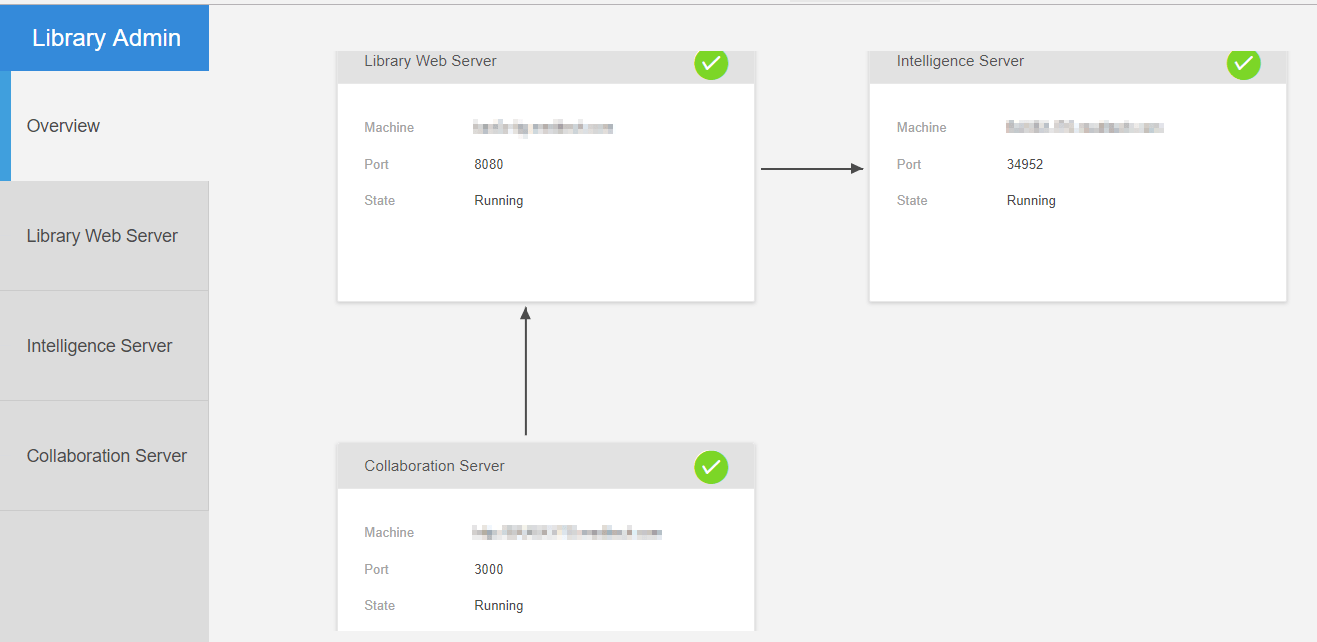
  1. Ensure the Collaboration Server is running and connected to the Library Web Server via the Library Admin page.

    If the Collaboration Server is running and connected to Library you will see the below structure.
     
ka04W00000147tcQAA_0EM44000000YWni.png


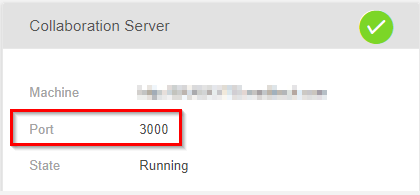
  1. The Collaboration Server utilizes port 3000 for communications.

    Ensure that the client machines have port 3000 open and are available to connect to the Collaboration Server.
ka04W00000147tcQAA_0EM44000000YWnn.png


Learning Resources


Interested in learning more about Library? Visit the Learning Center on Community!


Comment

0 comments

Details

Knowledge Article

Published:

March 12, 2018

Last Updated:

August 22, 2019