Starting with the release of Strategy ONE (March 2024), dossiers are also known as dashboards.
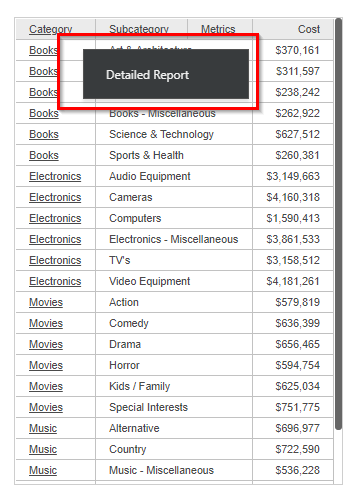
For documents, it is possible to provide links to additional reports/documents/dossiers within a document from a specific attribute and its attribute elements. In Strategy Web, defining one such link on an attribute in a document grid will underline each attribute element in the grid. If multiple links are defined for a single attribute, hovering the cursor over the attribute element will show a down arrow which, when clicked on, provides a menu with links to the reports/documents assigned to the attribute.

However, when running this same document from Strategy Library, the attribute elements are still underlined but no down arrow is displayed when hovering over an attribute element.
Strategy Library has been designed to provide context menus through right-click actions when interacting with any visualization, not just a grid. As a result, the hover-over capability is not available in Strategy Library.
When viewing a document in Strategy Library and an attribute has linked reports/documents/dossiers, right click on the desired attribute element. This will expose all linked object options available for this attribute element.
KB439980
