The following procedure describes how to scale the printing size of a document or dashboard to fit an 8 1/2 by 11 sheet of paper:
1. Open the document or dashboard in Design View.
2. Go to Menu -> Format -> Document Properties -> Page Setup -> Page
3. Select Paper size: Letter.
4. Change the radio button under Scaling to Fit to: 1 page(s) wide by 1 tall.
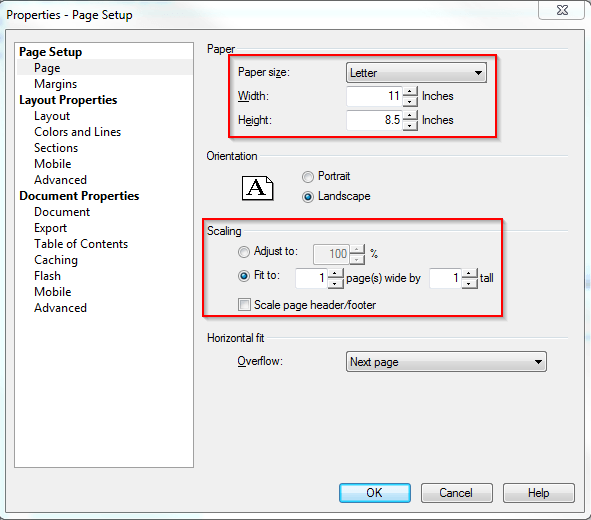
Note: The user will also need to check the box to 'Scale page header/footer' if the document or dashboard has a header or footer larger than the designated paper size.
