Starting with the release of Strategy ONE (March 2024), dossiers are also known as dashboards.
SUMMARY
Prior to Strategy 10.9, the feature "Hide Nulls/Zeros" was available to allow users to hide null/zero values as a quick view filter. However, if the report contained two metrics, with one metric not containing any zeros or null values, even when the other column returned all zero or null values, Strategy would not hide the metric column.
In Strategy 10.9 through 10.11, we brings a new implementation for this feature which gives a new behavior: individual metric and attribute combinations with all zeros would be hidden. A user is able to hide individual columns in a grid at the element-metric level using the "Hide Nulls/Zeros" option as shown below. (Scenario 1)
We notice this new behavior couldn't fulfill all the customers' requests and it will cause the regression issue for 10.4 platform release customer. To avoid the platform release regression issue, in Strategy 11.0 the behavior is reverted to pre-Strategy 10.9 behavior in Data Engine Version 10: the columns will only be hidden if every metric value is zero/null for all element combinations. We are actively working on providing a better solution for this feature.
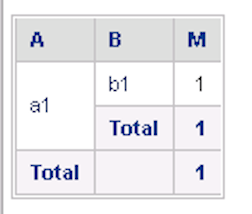
Additionally, there will be some expected change in Data Engine Version 11 compared with 10.4 or Data Engine Version 10's behavior. We notice there is an inconsistent behavior when Subtotal is enabled. If a row is hidden, it will appear again when Subtotal is enabled. In Data Engine Version 11, we make a correction for the behavior: the row will be still hidden when subtotal is enabled. (Scenario 2) This difference is tagged in Upgrade Impact log or IM tag file by DE117141.
DESCRIPTION
Scenario 1
In a report using Strategy 10.9-10.11:
1. Create a report with a null/zero column in the grid at the element-metric level
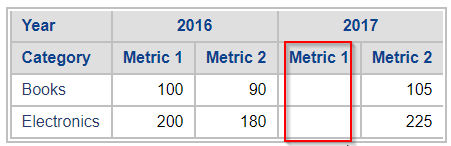
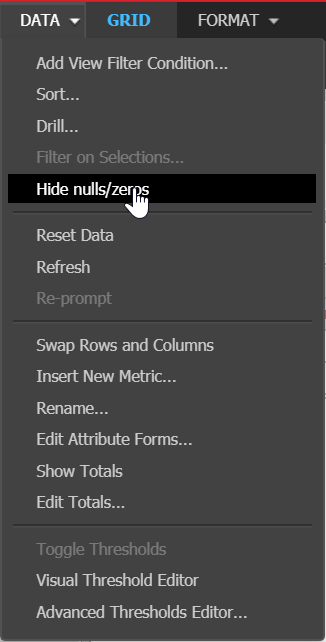
2. Click the down arrow next to data > choose "Hide nulls/zeros" to enable the hide nulls/zero option.
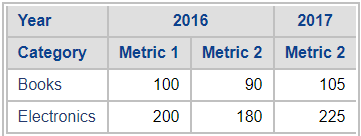
3. Notice the Null column "Metric 1 - Year = 2017" is hidden in the grid.
Alternatively,
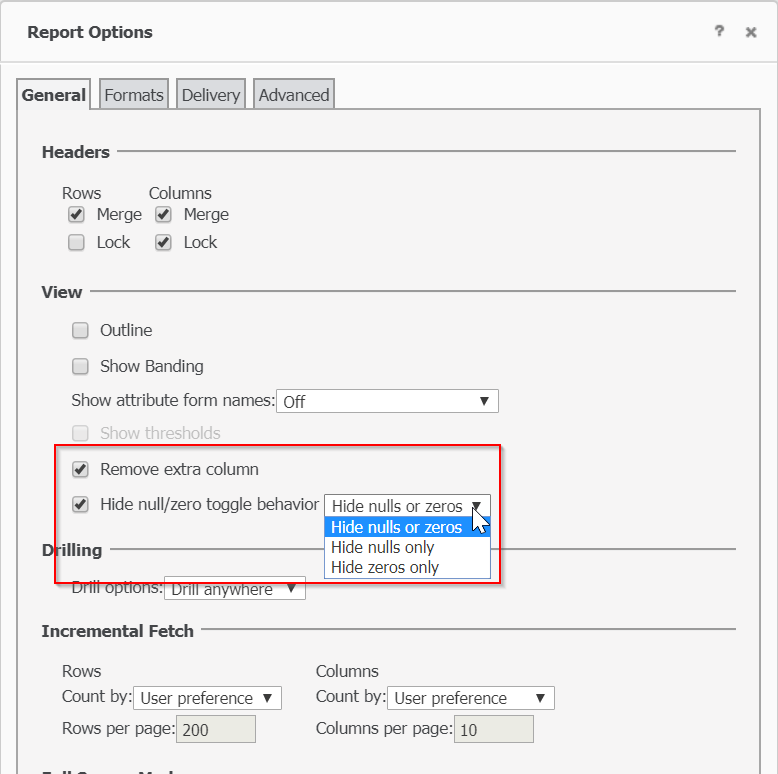
4. Click the down arrow next to tools > Click "Report Options"
5. Under General > View > check the box to "Remove extra column" and "Hide Null/Zero toggle behavior" to choose the appropriate filtering option
In Dossier:
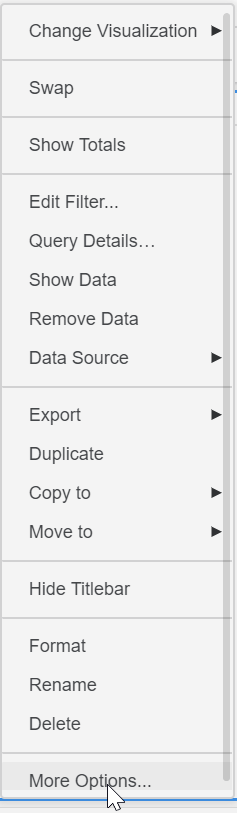
1. Click the vertical ellipsis icon to the top right of the visualization > chooses "More Options..."
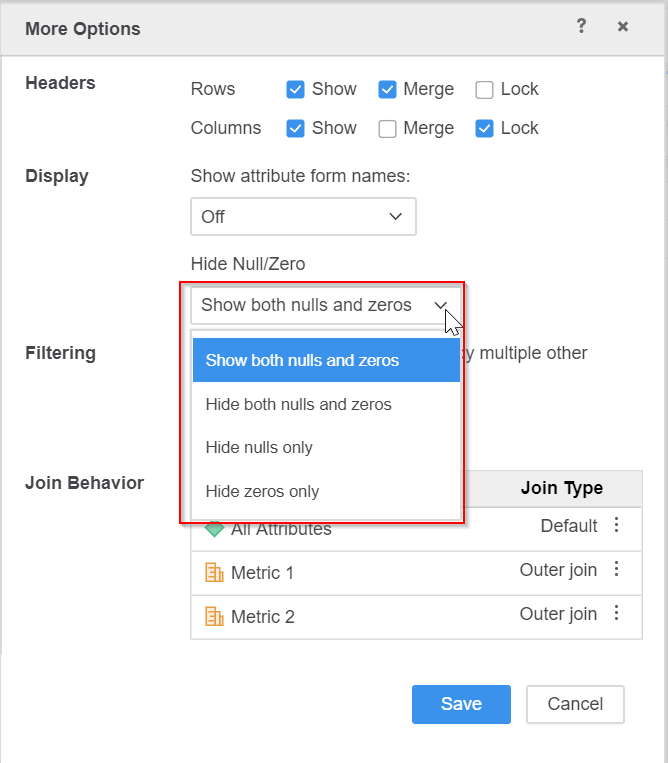
2. Choose the appropriate filtering option from the "Hide Null/Zero" drop-down list.
Scenario 2
This is an unhidden grid:
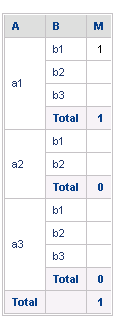
In pre10.9 release or 11.0 or later with Data Engine version 10, when "Hide Null" we will have the following grid. You will see the a3 Total will be displayed:
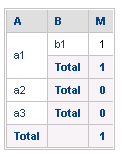
In 11.0 or later with Data Engine version 11, when "Hide Null" we will have the following grid where a2&a3 Total are hidden.
ACTION
The Strategy 10.9-10.11 behavior could not fulfill all customer requirements and led to confusion of expected behavior. Moving forward with the 10.9-10.11 behavior would have also caused regression issues for users upgrading from the 10.4 platform release. To avoid the platform release regression issues, the Strategy 2019 behavior is reverted to pre-Strategy 10.9 behavior in Data Engine Version 10. In Strategy 2019, the attribute element will only be hidden using the "hide both nulls and zeros" if every metric value for all metrics are zero/null for the given attribute element.
There is an open enhancement request to provide a more complete solution for the "hide both nulls and zeros" feature in a future release.
Article Reference Number: KB440049
