EducationSoftwareStrategy.com
StrategyCommunity

Knowledge Base

Product

Community

Knowledge Base

TopicsBrowse ArticlesDeveloper Zone

Product

Download SoftwareProduct DocumentationSecurity Hub

Education

Tutorial VideosSolution GalleryEducation courses

Community

GuidelinesGrandmastersEvents
x_social-icon_white.svglinkedin_social-icon_white.svg
Strategy logoCommunity

© Strategy Inc. All Rights Reserved.

LegalTerms of UsePrivacy Policy
  1. Home
  2. Topics

KB440141: How to track the changes that were made in the Microstrategy Intelligence Server Configuration and the in Project Configuration?


Community Admin

• Strategy


Administrators would like to track the changes that were made in the Microstrategy Intelligence Server Configuration and in the Project Configuration. How to achieve that?

ACTION:
These changes can be seen by using Change Journaling and Enterprise Manager.

  1. Change Journaling


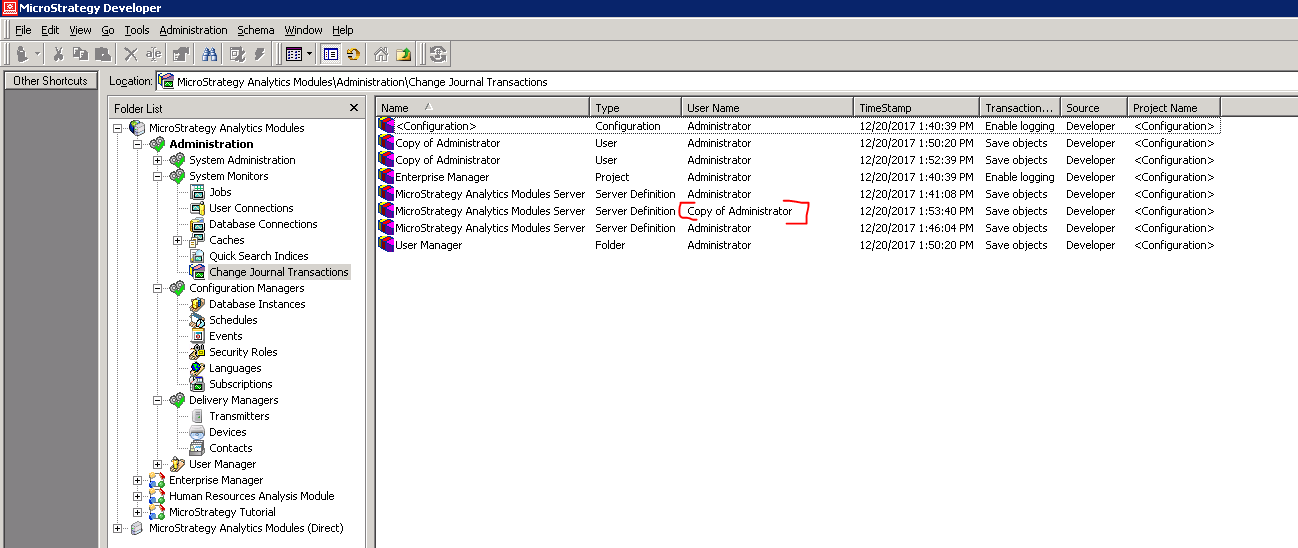
The information which user made a change in the configuration is visible in the Change Journaling option.
https://community.Strategy.com/s/article/KB34086-How-to-enable-or-disable-change-journaling-for-all
ka04W000000OataQAC_0EM44000000A4RK.png

Unfortunately, from the Change Journaling we can see who made the change but cannot say which settings was changed.
           2. Enterprise Manager
In this situation two Enterprise Manager tables can be used:
IS_CONFIG_PARAM_FACT
IS_CONFIG_PARAM
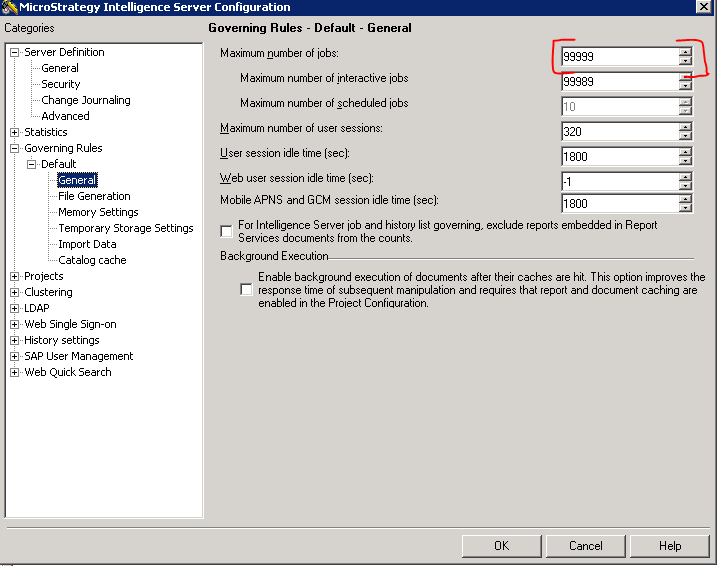
I. I made a change concerning "maximum number of jobs" in Server configuration (99999)
ka04W000000OataQAC_0EM44000000A4RP.png

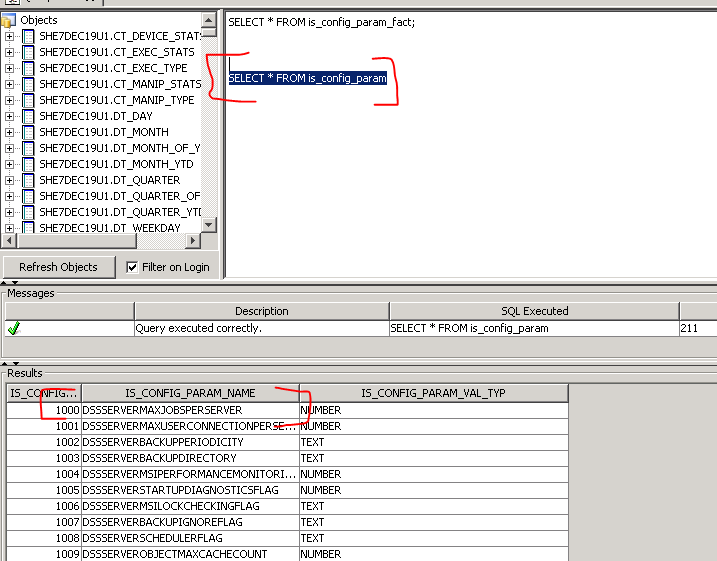
II. I checked the table is_config_param where I can see which ID is linked with the option "maximum number of jobs"
ka04W000000OataQAC_0EM44000000A4RU.png

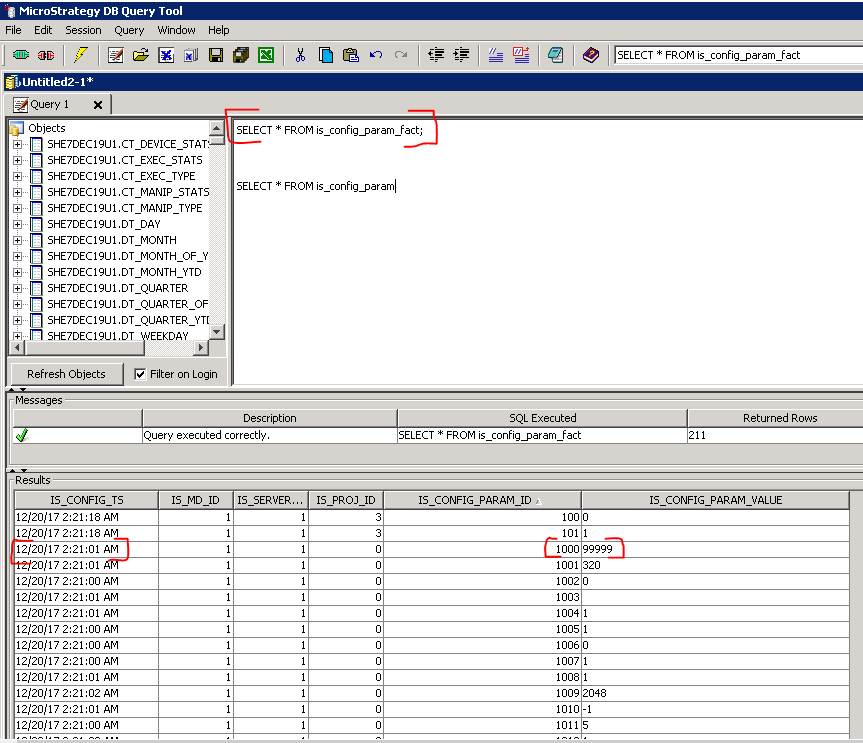
III. Then I checked the is_config_param_fact in order to see when the changed was made
ka04W000000OataQAC_0EM44000000A4RZ.png

The tables do not contain information on who introduced the change. However, there is an exact timestamp when a given change was made
Please contact Technical Support on any updates about the issue.
 
  KB440141


Comment

0 comments

Details

Knowledge Article

Published:

March 20, 2018

Last Updated:

December 10, 2018