Starting with the release of Strategy ONE (March 2024), dossiers are also known as dashboards.
SYMPTOM
In Strategy 10.10, Web users may experience slow performance when launching a Dossier with an MDX cube, imported with hierarchy as hierarchical attribute, as dataset, a Filter box and a hierarchical attribute in the Filter panel; using a third party Database tool, such as SQL Server Profiler, it is possible to capture a query to all members of the dimension, to which belongs the hierarchical attribute, when executing the Dossier. The impact on performance increases with the size of the dimension.
STEPS TO REPRODUCE
To reproduce the issue with Strategy Tutorial project, assuming to have already imported a MSAS cube with hierarchy as hierarchical attribute as per KB300417, please follow the steps below:
1. Create a Dossier and add as dataset a MSAS cube imported with hierarchy as hierarchical attribute.
2. Insert a Filter box as shown below:

3. Add one hierarchical attribute, in the example 'Department', to the Filter panel, as shown below:
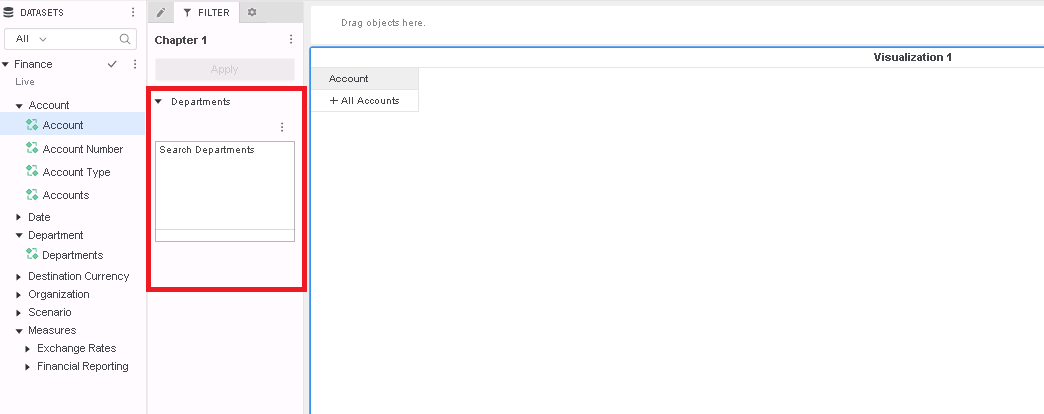
4. Save and close.
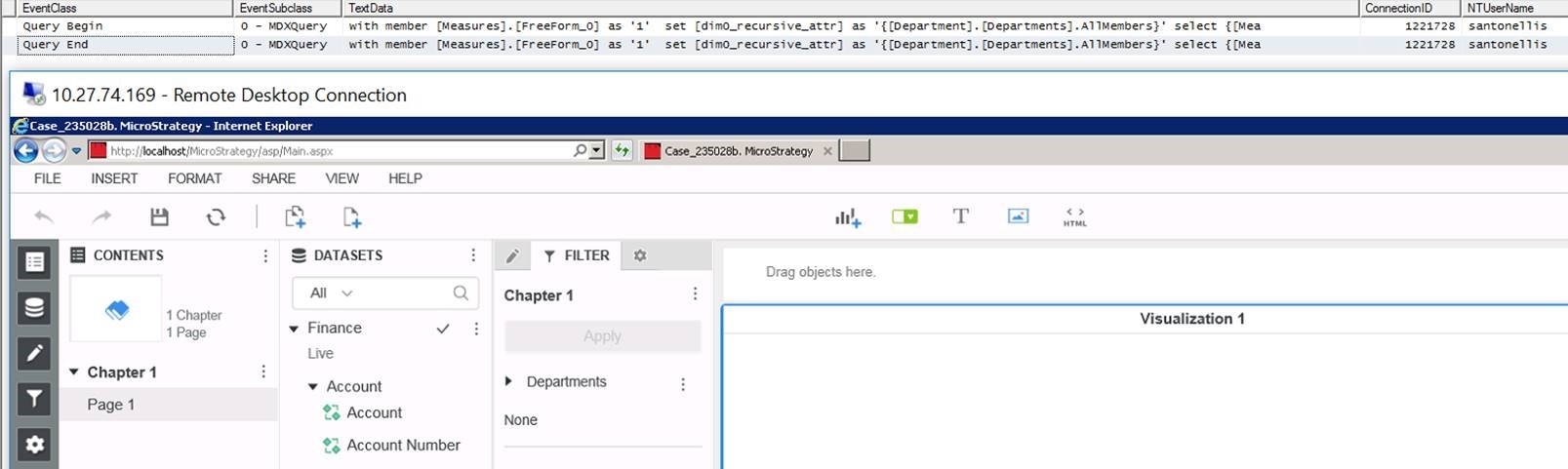
5. Launch SQL profiler, properly configured to follow 'Query Begin' and 'Query End' for the MDX cube from Step 1, and execute the Dossier. The following query is captured
with member [Measures].[FreeForm_0] as '1'
set [dim0_recursive_attr] as '{[Department].[Departments].AllMembers}'
select {[Measures].[FreeForm_0]} on columns,
non empty hierarchize({[dim0_recursive_attr]}) dimension properties [Department].[Departments].KEY0, MEMBER_KEY, MEMBER_NAME on rows
from [Finance]
as shown below:
ACTION
This issue has been addressed in 11.0. Upgrade to this version to take advantage of this fix.
[Keyword]
Strategy 10.10, all members of a dimension are queried, all members, dimension, queried, executing Dossier, MDX cube, hierarchy as a hierarchical attribute, add Filter box, Filter box.
Article Reference Number:
KB440208
